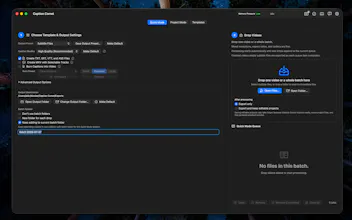
Generate, edit, and burn captions locally on your Mac. No cloud upload, no account, no subscription. Quick Mode batches multiple videos even with mixed codecs, resolutions and aspect ratios. Project mode lets you edit text and adjust timings for phrases or even word by word. Multiple styles: karaoke highlight, word builds, standard, and custom presets. Exports SRT, VTT, ASS, MKV, or burned-in video. Runs on any Apple Silicon Mac including 8GB. Free 30-day trial, one-time purchase.
No reviews yetBe the first to leave a review for Caption Comet
Maker
📌
I built this because I wanted word-by-word captions for my own videos without paying a monthly subscription. It started as a simple transcription tool and grew into a full captioning workflow with batch processing, a waveform timing editor, multiple caption styles, and burned-in video export, all running locally on your Mac.
No account. No cloud upload. Your footage never leaves your machine.
There’s a full 30-day Pro trial built into the app, no card required, so you can try everything before deciding. Happy to answer anything about how it works.
Report
How does it handle whisper transcription accuracy out of the box compared to paid cloud services? Curious if local processing sacrifices much quality for the privacy win.
Report
Maker
@arzuersun High quality mode uses the full unquantized Whisper Large v3 model, which is the same one that most paid cloud services use. Accuracy is excellent and very close to what you’d get from them.
The word by word editor also makes any corrections quick and easy when needed. You can try the full app free for 30 days to test it on your own footage.
Report
The fact that Quick Mode handles mixed codecs and resolutions in a single batch is a huge time saver, shows real thought about how messy real workflows actually are.
Report
Maker
@sedefgjlh Thank you. I figured Quick Mode should just work and actually be quick, so handling mixed formats/resolutions/etc. without needing you to sort through them was something it just had to be able to do.
How does it handle whisper transcription accuracy out of the box compared to paid cloud services? Curious if local processing sacrifices much quality for the privacy win.
The fact that Quick Mode handles mixed codecs and resolutions in a single batch is a huge time saver, shows real thought about how messy real workflows actually are.