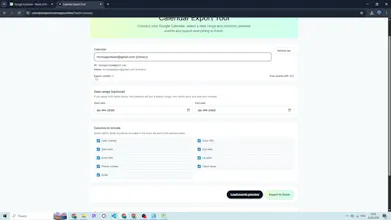
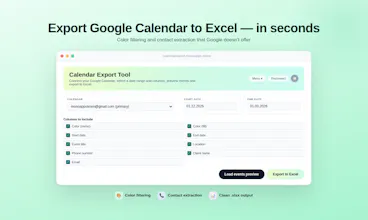
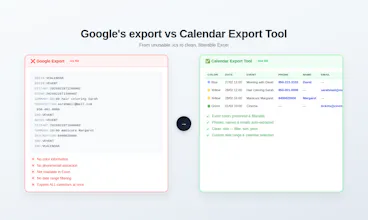
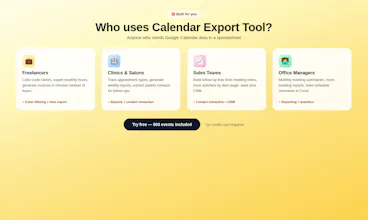
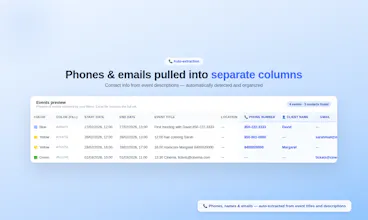
If you use Google Calendar to book clients, you already have a CRM - you just can't access it. Phones and emails are buried in event descriptions. Colors mark client types. But Google's export gives you a uselessics with none of that. Calendar Export Tool pulls it all into Excel: 📇 Phones, emails & names - auto-extracted into separate columns 🎨 Event colors preserved - filterable in Excel 📊 One click - clean xlsx ready for follow-ups or CRM import 500 free events. No credit card.
No reviews yetBe the first to leave a review for Calendar Export Tool
Maker
📌
Hey Product Hunt! 👋
I built Calendar Export Tool after realizing that thousands of freelancers, salon owners, and small teams already have a client database - inside Google Calendar. They just can't get it out.
Think about it: if you book clients through Google Calendar, you've been collecting names, phone numbers, and emails in event titles and descriptions for months (or years). You color-code by service type or client category. That's basically a CRM.
But when you try to export? Google gives you an .ics file. No phone numbers. No emails. No colors. No structure. Completely useless.
Calendar Export Tool fixes this in one step:
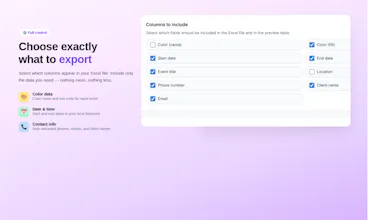
1. Phones, emails, and client names are auto-extracted into separate Excel columns
2. Event colors are preserved (name + hex code) — so you can filter by service type right in Excel
3. Pick any date range and calendar - no more "export everything at once"
The result: a structured client list from data you already have. One export, and you've got a contact base ready for follow-ups, reporting, or importing into an actual CRM.
It's live and free to try - 500 events, no credit card.
I'd love to hear what you'd build next:
- Recurring scheduled exports via email
- Google Sheets integration
- Multi-calendar merge into one file
- Duplicate contact detection
What would help you most?
Thanks for checking it out! 🙏