
CalChat
Manual calendar entry is broken.
24 followers
Manual calendar entry is broken.
24 followers
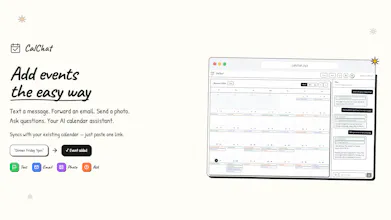
CalChat lets you add calendar events the way you already communicate—by text, email, photos, or chat. Just send the info and it handles the rest. It automatically pulls out dates, times, and locations, syncs with Google, Apple, and Outlook, and lets you ask things like “Am I free Friday?” It saves a ton of time by eliminating manual calendar entry. You can also get text reminders before events and approve teammates or family to send events directly to your calendar.


Hey Product Hunt 👋
CalChat started because we kept missing events that weren’t neatly added to our calendars—texts from friends, forwarded confirmations, flyers, screenshots, random “remind me Friday” messages. Calendars are powerful, but getting info into them still feels way harder than it should.
We built CalChat to make adding events as easy as sending a text. No forms, no apps to learn—just message it like a person. Along the way, we leaned hard into SMS as the primary interface and focused on making the AI feel genuinely helpful (not robotic).
Would love your feedback—what’s the most annoying way you currently add things to your calendar?
hi there! congrats on the launch! I really like your idea and the design you've created for CalChat
I was curious, can CalChat just learn the types of events I visit, plan recurring events (like university classes every week) and mark them with the same colour? so does it actually support all the functions that a calendar app supports?
@yellow_yetti
Thanks so much — really appreciate the kind words!
Yes 🙂 CalChat can learn the types of events you add and automatically group them (like School, Work, Health, etc.) and apply consistent colors. You can also fully customize these groups yourself, and the AI will auto-categorize new events.
Recurring events are fully supported (weekly classes, meetings, routines, etc.). You can also import school calendars (like Canvas), so your classes, assignments, and deadlines automatically appear in your calendar without manual entry.
CalChat works with your existing calendar rather than replacing it, so all standard calendar features—recurring rules, edits, deletions, and syncing—still apply. On top of that, you can set custom text reminders, so you get notified exactly when and how you want.
Think of CalChat as a conversational layer on top of your calendar: you talk to it naturally, and it handles everything correctly behind the scenes.
The "dinner Friday at 7, then forget to add it" scenario is painfully familiar! I love that you focused on the friction of manual entry rather than just adding more calendar features. Being able to forward confirmation emails or text event details naturally is exactly how people already communicate. The ability to approve teammates or family to send events directly to your calendar is clever for shared scheduling. Does the AI handle ambiguous times well, like "morning coffee next Tuesday" or does it ask for clarification?
@easytoolsdev The AI does its best with whatever information it has. Generally, it will add the event with the least amount of information necessary. If you do not mention a time, it will ask you for it, but if you simply mention the event name and time, it will put that in.
It is pretty smart! If an event is important and you need extra text reminders, it can easily attach them.
Why We Built CalChat
The Problem
Adding an event to your calendar should take seconds. Instead, it takes minutes.
You get a confirmation email for a doctor's appointment. To add it to your calendar, you have to: open your calendar app, tap create, type the title, scroll to find the right date, set the start time, set the end time, add the location, maybe add a reminder, then save. That's a lot of tapping for information that was already written in the email.
Or someone texts you “dinner Friday at 7?” and you reply “sure”—then forget to add it to your calendar because you were busy. Later, you double-book yourself.
We've all been there. The friction of adding events means we either skip it entirely or spend way too much time on a simple task.
The Idea
What if you could just forward that confirmation email somewhere and the event would appear on your calendar? What if you could text “dinner Friday 7pm at Luigi's” and it would just... work?
That's CalChat.
We built an AI that understands natural language—the way you actually talk and write. It reads your emails, texts, and even photos of event flyers. It extracts the important details and creates a proper calendar event. No forms. No tapping through menus. Just send it and it's done.
How It Works
You get a personal CalChat email address and phone number. Forward emails to it. Text it. Send it photos of posters or invitations. The AI figures out what the event is, when it is, and where it is—then adds it to your calendar.
You can also ask questions: “What do I have tomorrow?” or “Am I free Friday afternoon?” CalChat answers instantly.
It syncs with your existing calendar—Google, Apple, Outlook—so you don't have to change how you view your schedule. Just paste one link and your CalChat events show up alongside everything else.
Our Philosophy
Calendars haven't changed much in decades. They're still digital versions of paper planners—you have to manually enter everything. We think that's backwards.
Your calendar should be smart enough to understand “coffee with Alex next Tuesday.” It should be able to read a confirmation email and know what to do. It should work the way you think, not force you to think the way it works.
That's what we're building.
What's Next
We're just getting started. We're constantly improving the AI to understand more complex requests, handle more languages, and make fewer mistakes. We're adding more integrations and more ways to interact with your calendar naturally.
Our goal is simple: make managing your schedule effortless. If you have ideas or feedback, we'd love to hear from you at hello@calchat.xyz.
— Robert and Ty
What's up Product Hunt 🗓️
We built this because we were tired of the same frustrating cycle: get a text about dinner plans, mean to add it to the calendar, forget, then double-book ourselves. Or stare at a confirmation email and manually tap through 8 fields to create an event that already has all the information right there.
CalChat fixes this. Just forward an email, send a text, or snap a photo of a flyer—the AI extracts the details and adds it to your calendar. No forms, no friction.
We'd love to hear how you currently wrangle your calendar. What's the most annoying event you've had to manually enter?
— Robert