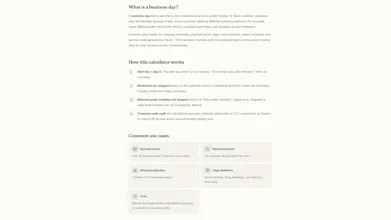
Calculate business days accurately with real public holiday data for 166 countries. Two modes: add or subtract N business days from a date, or count business days between two dates. Automatically handles weekends and national holidays. No account required, no limits, no ads.
No reviews yetBe the first to leave a review for Business Days Calculator
Maker
📌
Hey Product Hunt
I built this because I kept needing to count business days for contract deadlines, SLA timelines, and renewal dates - and every calculator I found was either wrong (ignored holidays) or too simple (only skipped weekends).
What it does:
- Add or subtract N business days from any date - gets the right answer even across holiday weekends
- Count business days between two dates - with a clear breakdown of what was skipped
- Covers 166 countries with real public holiday data (not a hardcoded US calendar)
- Handles non-standard weekends, Friday–Saturday in Egypt, Saudi Arabia, etc.
- Shareable result URLs - send a calculation to a colleague, they see the same answer
- Free embed - one-line iframe for your blog or help center
The model: Completely free. No signup, no limits, no ads. Built as a public utility.
Who it's for: HR teams, project managers, lawyers, accountants, small business owners - anyone who needs reliable date math.
Would love your feedback - especially if you spot a holiday or weekend rule we got wrong. Accuracy is everything for a calculator.
- Henrik
Report
A small but useful addition would be a "copy to clipboard" button for the results, especially the calculated date range, so I can paste it straight into project timelines or client emails without having to select and copy manually.
Report
Maker
@elifsukbxw Thanks, that's a great suggestion! I focused so much on getting the calculations and holiday logic right that little UX improvements like this are easy to overlook. A one-click "Copy result" button would definitely make it faster to drop the date into emails, project plans, or contracts. I've added it to my roadmap, appreciate the feedback! 😊
Report
Love that this pulls real holiday data for so many countries, super useful for client work across timezones. One thing that would make it even better is a toggle to exclude or include specific holidays from a region, since some teams observe regional or company specific days off that differ from the national list.
Report
Maker
@tunahan7j2k Thanks! That was one of the biggest reasons I built it - I wanted something that worked reliably across countries instead of assuming everyone follows the same calendar.
I really like that idea. Supporting custom holiday calendars (or letting you include/exclude specific holidays) would make it much more useful for companies with internal holidays or regional differences. It's definitely something I'd like to explore in a future update. Thanks for the suggestion! 🙌
Report
Maker
Quick update, @elifsukbxw and @tunahan7j2k — you both nudged me and I couldn't stop thinking about your suggestions, so I just shipped them both 🚀
@elifsukbxw - there's now a "Copy result" button. One click grabs a clean, paste-ready summary (e.g. "15 business days after Jul 14, 2026 = Aug 4, 2026, holidays skipped: Independence Day") so it drops straight into a client email or project timeline — no more manual selecting.
@tunahan7j2k - the tool now has an editable holiday list. Open "Holidays applied" and you can uncheck any national holiday your team actually works, or opt in regional/observed days that aren't on the national list. Your choices stick per-country and even carry through the shareable link. I kept the defaults untouched, so regional days only ever count if you deliberately turn them on (accuracy first!).
Both are live now. Thank you both - genuinely made the tool better. Would love to know if they work the way you imagined 🙌
A small but useful addition would be a "copy to clipboard" button for the results, especially the calculated date range, so I can paste it straight into project timelines or client emails without having to select and copy manually.
@elifsukbxw Thanks, that's a great suggestion! I focused so much on getting the calculations and holiday logic right that little UX improvements like this are easy to overlook. A one-click "Copy result" button would definitely make it faster to drop the date into emails, project plans, or contracts. I've added it to my roadmap, appreciate the feedback! 😊
Love that this pulls real holiday data for so many countries, super useful for client work across timezones. One thing that would make it even better is a toggle to exclude or include specific holidays from a region, since some teams observe regional or company specific days off that differ from the national list.
@tunahan7j2k Thanks! That was one of the biggest reasons I built it - I wanted something that worked reliably across countries instead of assuming everyone follows the same calendar.
I really like that idea. Supporting custom holiday calendars (or letting you include/exclude specific holidays) would make it much more useful for companies with internal holidays or regional differences. It's definitely something I'd like to explore in a future update. Thanks for the suggestion! 🙌
Quick update, @elifsukbxw and @tunahan7j2k — you both nudged me and I couldn't stop thinking about your suggestions, so I just shipped them both 🚀
@elifsukbxw - there's now a "Copy result" button. One click grabs a clean, paste-ready summary (e.g. "15 business days after Jul 14, 2026 = Aug 4, 2026, holidays skipped: Independence Day") so it drops straight into a client email or project timeline — no more manual selecting.
@tunahan7j2k - the tool now has an editable holiday list. Open "Holidays applied" and you can uncheck any national holiday your team actually works, or opt in regional/observed days that aren't on the national list. Your choices stick per-country and even carry through the shareable link. I kept the defaults untouched, so regional days only ever count if you deliberately turn them on (accuracy first!).
Both are live now. Thank you both - genuinely made the tool better. Would love to know if they work the way you imagined 🙌
Henrik