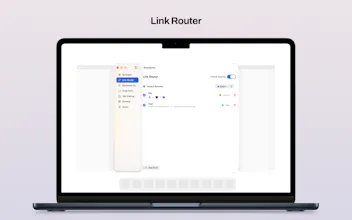
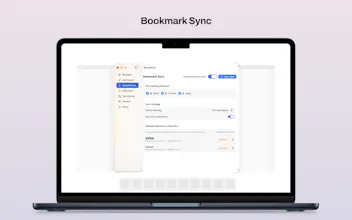
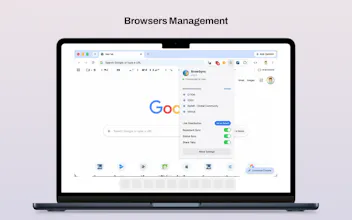
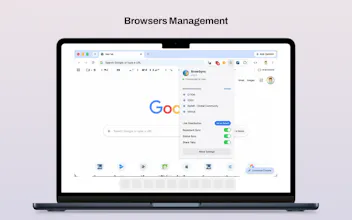
BrowSync is a native macOS app built for people who use more than one browser. It connects Safari, Chromium-based browsers, and Firefox, letting you sync bookmarks, tabs, cookies, and local browser state while also routing links to the right browser based on rules. Everything runs locally on your device through a local daemon, so your browsing data stays on your Mac instead of being sent to external servers.
No reviews yetBe the first to leave a review for BrowSync
Maker
📌
I made BrowSync because I was tired of my browser setup being a mess.
Like a lot of people, I don’t use just one browser. I might use Safari for personal browsing, Chrome for work apps, and Firefox for testing or separate accounts. But the experience across them always felt fragmented: bookmarks got out of sync, sessions lived in the “wrong” browser, and opening links where I actually wanted them took too many extra steps.
BrowSync is my attempt to fix that.
It’s a native macOS app that helps multiple browsers work together. You can route links to different browsers with rules, sync bookmarks, keep browser state aligned locally, and carry your setup across Macs with iCloud.
One thing I cared about from the beginning was keeping it local-first. BrowSync runs on your Mac and keeps browsing data on your device, instead of pushing everything through an external server.
What started as a browser routing tool gradually turned into something bigger: a cross-browser workflow tool for people who live in multiple browsers every day.
If that sounds like you, I’d really love your feedback:
What’s the most annoying part of using multiple browsers today?
Report
Finally something that keeps my dev tabs in Chrome and personal stuff in Safari without me copy pasting links. The local-only setup is a nice touch.
Report
Love that the whole thing runs through a local daemon instead of pushing bookmarks through some cloud relay, that's the kind of privacy-first choice that actually respects how people feel about their browsing data.
Finally something that keeps my dev tabs in Chrome and personal stuff in Safari without me copy pasting links. The local-only setup is a nice touch.
Love that the whole thing runs through a local daemon instead of pushing bookmarks through some cloud relay, that's the kind of privacy-first choice that actually respects how people feel about their browsing data.