BrowserOpener

BrowserOpener

Open links with different browsers according to rules

4 followers

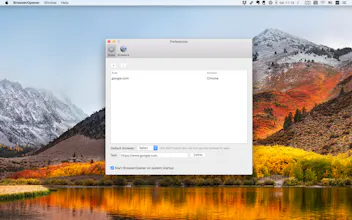
For example, you are using Safari heavily in day life, but you'd like to use Chrome to open websites of work. You could add a rule for it, then every external links (links not in browser) will be opened in Chrome. Features 1. Add rules to open browsers for specified websites. 2. Add other browser to handle links.
BrowserOpener gallery image
Launch Team
Flowstep
Flowstep
Generate real UI in seconds
Promoted

What do you think? …

Yuan Tang
It would be great if this app can hide itself in Dock and be present in status bar instead.
MaX Falstein
@ezo I agree; @wxt2005 it would be good if this was a status bar application instead of a windowed application.
Marta Heinz
What browsers does it support? What about less-known browsers (Vivaldi, Clickz, Brave), portable versions of different browsers, different versions of the same browser, self-made browsers (e.g. based on chromium)?
Botao
@martaheinz76 In theory it can support any browsers as long as you add it to BrowserOpener.Though I haven't test them all yet
MaX Falstein
@martaheinz76 different versions (i.e. portable versions, etc.) support is reliant on these options being passable from macOS browser settings to BrowserOpener. If the browser has not made those options openable from outside of the browser, BrowserOpener will not be able to open links in special modes.
Ouriel Ohayon
funny, i coded something like that with javascript a while ago. did not think more people would think that way. could you make it so i can decide what i can open where on a per link basis? (like using right click)
Botao
@ourielohayon There is another tool called Bumpr which fits your need. I bought it before, but soon found it's annoying to choose browser on every link click.
James Pearson
Does this app support the Brave browser? I have a similar app already, but they don't support Brave... if you do I'd switch :)
James Pearson
Botao
@fearmediocrity I will look into it, thanks for advice :)
Botao
@fearmediocrity In fact it supports Brave browser or any other browsers now, you can add it from browsers panel. There is a bug prevents newly added browsers from listing in add rule window, you can quit BrowserOpener and reopen it, then it will appears in the browser list, and all things works fine. I'll fix this bug in next version.
Oscar Morrison
Hey @波涛 how does this compare to choosy https://blog.oscarmorrison.com/c...
小一
good job
Neil
I got excited for a minute when I saw that the get it now link had iPhone and iPad listed, but alas, this is mac-only.
12
Next
Last