Launching today

Brodlin PDF
Free local PDF annotation and signing in Chrome
1 follower
Free local PDF annotation and signing in Chrome
1 follower
Read and annotate PDFs, add visual signatures and download edited copies in Chrome. Local tools are free, with no account required. Optional online editing and account features have separate requirements and cloud upload limits.
Free
Launch tags:Chrome Extensions
Launch Team

AWS Activate CreditsCredits that fuel your startup’s next milestone
Promoted
Hi, I'm Denis and I work on Brodlin PDF.
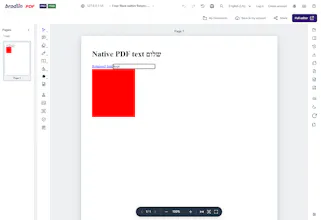
The Chrome extension is for everyday PDF tasks: read a document, highlight selectable text, leave a note or add a visual signature, then download your edited copy. Local tools are free and do not require an account.
You can separately continue in the Brodlin online editor or create a document on the website. Online/account features and cloud upload limits have separate requirements.
Text highlighting needs selectable text. Drawn, typed and uploaded signatures are visual marks, not certificate-based digital signatures.
I'd appreciate honest feedback on one real workflow: what was unclear, and did the downloaded file contain the result you expected?