Brilliant platform! Thank you for implementing your ideas in such a nice package of features! Seems to be pleasure to create in such a nicely and neatly designed surround! Congrats on the launch! ^_^
@maria_brm Hi Maria, If you are talking about Backlight, we don't have native support for Blazor .NET components yet. But you can create a Web Component design system and use it in a Blazor .NET project. Feel free to reach out on our discord if you want to discuss more. Cheers!
@georges_gomes Yes, exactly.. Thanks a lot for the answer and clarification! ^_^ I am very interested in how I can combine my needs and transfer ideas into reality by using BRICKS, cos interface is so awesome and joyful to work with! No doubts I will reach out with more questions! :))
Hey Hunters!
Another freebie from ‹div›RIOTS just in time for Chrismas 🎄🎁
Enjoy this new, totally editable Design System based on MUI!
We built it with care so you can use it outside the box:
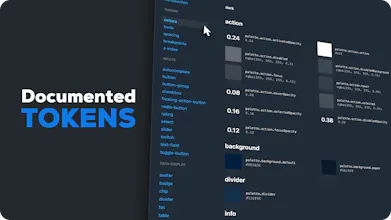
- Tokens
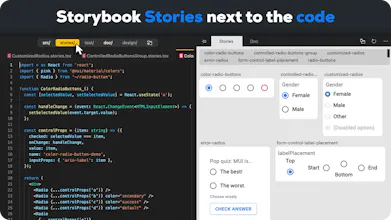
- Components
- Documentation
- Figma files built in
Made with Backlight.dev
Make your own copy, editable in-browser with the preview next to the code, deploy it to npm in minutes!
Give it a try! https://backlight.dev/edit/k0DvZ...
🎁 Merry Christmas all!🎄
Report
The docs page on mobile is a mess. Those components look interesting but I do not see the difference between Tailwind UI or Flowbite (also free).
Report
Hey, why do we need this one if we already have MUI for React?
@kkurko Because MUI is a component library with many options. But if you want to create your own Design System, you want to control le style and what style options that are available to the users of the Design System. A simple example would be the Button. You can `import Button from '@mui/material/Button';` and use it but then you need to specifically select "variant" as "outlined" and "contained" for the style of the button. But what you want is to expose to be `import Button from '@my/own-bricks/Button';` and with "variants" "primary" and "secondary" - full stop. The implementation of your own design system will decide if primary is "contained" and secondary "outlined" or what ever the design system defined. You control the options exposed.
Using MUI is an accelerator for your design system. Benefiting from the capabilities and the accessibility of MUI but it's way too permissive used as is as a design system.
Bricks is a starter-kit to do your own design system on top of MUI.
I hope it makes sense.
Kind regards.







Sealit
figma.to.website
Sealit
figma.to.website
Sealit
figma.to.website
figma.to.website
figma.to.website