
BlurBox
Blur Your Text
5 followers
Blur Your Text
5 followers
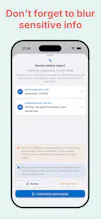
BlurBox helps you protect screenshots and images before sharing. Text detection runs on device, so your images are not uploaded. BlurBox can detect text regions, suggest possible sensitive information, and let you choose which areas to blur. You stay in control: suggestions are for review, and BlurBox does not automatically hide content without your action.



Free Options
Launch Team

MotifRecovery coaching for the wearable you already own
Promoted
How does the on-device text detection actually hold up on handwritten notes or really cluttered screenshots, and is this free to use or is there a paid tier for batch processing?
@cansuog3c Hello Cansu. Thank you for taking the time for my very first app and for sharing your thoughtful feedback. This is a newly launched product, and I believe there is still plenty of room to improve both the AI's accuracy and its feature set. From the very beginning, I've built BlurBox with an on-device AI philosophy to prioritize user privacy. As an AI engineer, I'm actively working on more advanced native AI models for iOS and macOS that deliver higher performance and better accuracy, especially in challenging scenarios like the ones you described.
BlurBox is free to use, with 2 exports per day available at no cost. If you need unlimited exports, there's an optional lifetime Pro purchase for about US$0.99. The Pro version removes the "BlurBox" watermark from exported images and allows unlimited exports.
And don't worry if you upgrade or change your iPhone—your purchase is tied to your Apple Account, so you can restore it on your new device.
A batch mode would be really helpful so I can drop in a whole folder of screenshots and review suggestions for each one without processing them one at a time. That would save me a ton of time when I need to share a bunch of support tickets.
@sahinu89740 Thank you so much for this thoughtful suggestion. It genuinely means a lot to me.
As a solo developer, feedback like yours helps shape the direction of BlurBox. Batch processing is an excellent idea, and I completely understand how much time it would save when working with large numbers of screenshots.
I'll make this a priority and work on bringing batch mode to BlurBox in a future update. Thank you again for taking the time to share your workflow and help make the app better. I truly appreciate your support!
The on-device text detection is a really thoughtful choice, keeps things private without making the workflow feel clunky.
@yazkrmazvmqc Thank you so much! I'm really glad you noticed that.
User privacy has always been one of the core principles behind BlurBox. That's why I chose an on-device AI approach, so your screenshots never need to leave your device while still keeping the experience fast and seamless.
As an AI engineer, I'm continuously working on improving the native AI models to make them even more accurate and capable, while staying true to that privacy-first philosophy.
Thank you again for your kind words and support—it truly means a lot to me.