Launching today

Blur Image
Blur a photo in your browser, nothing gets uploaded
5 followers
Blur a photo in your browser, nothing gets uploaded
5 followers
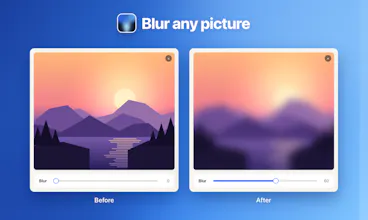
Open a screenshot or a photo in the Chrome side panel, blur the whole image or drag a box over the parts you want hidden, then save or copy the result. Everything runs on your own computer: no upload, no account, and the file keeps its original format.


Free
Launch Team / Built With


CloudflareDeploy serverless functions globally in seconds
Promoted
Hi everyone 👋
I built Blur Image because hiding one phone number in a screenshot kept turning into a trip to a photo editor, or to a site that wanted the file uploaded first.
Blur Image opens in the Chrome side panel, next to whatever you are reading. Drop a file in, or paste a screenshot with Ctrl+V. Blur the whole picture with one slider, or drag a box over an address, a face or a line of text and blur only that. Hold Space to see the original, then save the file or copy it straight to the clipboard.
The picture is processed on the canvas built into Chrome, and the extension has no network access at all, so nothing can leave your computer. JPG, PNG and WebP come out in the format they went in, at their original size.
Tell me what you end up hiding in your screenshots and what the tool is missing. I am here in the comments all day.