Launching today

Block Site by OrangeBot
Block distractions on a schedule, keep usage on your device
1 follower
Block distractions on a schedule, keep usage on your device
1 follower
Block distracting websites, schedule focus time and set daily site limits in Chrome. Use work/break cycles, a custom block page and an optional settings password. Hostname usage estimates stay on your device. Free, no account; optional Chrome Sync shares configuration only.

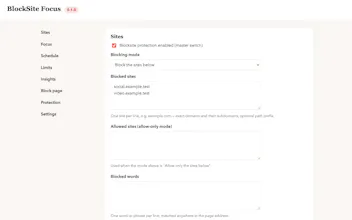
I wanted a website blocker with rules I could understand: block these sites during these hours, start a work/break cycle, and set a daily allowance when a hard block feels too blunt.
Block Site combines those controls in one Chrome extension: hostname/path rules, allow-only mode, weekly schedules, focus cycles, a custom block page and an optional settings password. The password is a local settings gate; it cannot stop someone disabling or uninstalling the extension.
It is free and needs no OrangeBot account. Estimated foreground time is recorded locally by hostname for up to 30 recorded dates. There is no OrangeBot analytics or advertising backend. Optional Chrome Sync shares configuration, excluding usage history and password verifiers. A remote image or redirect you configure makes a normal request to that destination.
One detail worth making clear: the in-extension blocking switch only stops blocking. Local usage accounting continues while the extension is enabled in Chrome; disable the extension to stop it. Usage is approximate and cross-device Sync has not been verified.
I would love to hear which controls actually help you stay focused, and which feel like another setting to manage.