
Blaze Player Android Multimedia Player
player multimedia video photo audio
9 followers
player multimedia video photo audio
9 followers
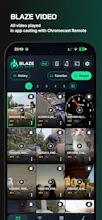
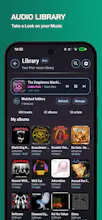
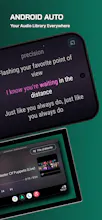
Blaze Player is an all-in-one Android media hub combining a powerful video player, an advanced photo gallery, and a premium music player. Cast to Chromecast, browse SMB/UPnP libraries, create 1080p photo slideshows, edit media, manage playlists, display synced LRC lyrics, use Android Auto, host collaborative Party sessions, and enjoy KaraoKast karaoke — all from your own files, with no mandatory subscription.






honestly the Chromecast and SMB browsing together kind of sold me, finally a player that handles my home server without wanting me to upload stuff to the cloud. The Lyrics sync is a nice touch too.
@slah4jh Thank you so much for your kind feedback! I’m really glad that the Chromecast and SMB features are useful for your setup. Keeping access to personal media simple, local, and without forcing cloud uploads was something I really wanted to achieve with Blaze Player. I’m also happy you’re enjoying the lyrics sync. Thanks again for taking the time to share your experience — it really means a lot to me as an independent developer!
honestly this looks really packed already but one thing that would seal the deal for me is proper subtitle support with custom font sizing and color tweaks, basically something closer to what MX or VLC do on desktop. you know, right now most android players kinda half-ass it and force tiny yellow text that disappears on bright scenes
@turgayvsgn Thank you so much for the feedback and for the suggestion! I completely understand what you mean about subtitle readability, especially depending on the video and the scene brightness. More advanced subtitle customization, including things like font size, colors, and improved readability options, is actually something I’m already considering for a future update. Blaze Player is still evolving, so feedback like this is genuinely helpful when deciding what to improve next. Thanks again for taking the time to share your thoughts!
SMB browsing worked instantly on my home network and the synced LRC lyrics are a nice touch. Wish the interface felt a touch less cluttered but overall solid for local playback.
@makbulemest Thank you so much for your feedback! I’m really glad to hear that SMB browsing worked smoothly with your home network and that you’re enjoying the synced LRC lyrics. I also really appreciate your comment about the interface feeling a little cluttered. That kind of honest feedback is very useful, and improving the overall clarity and simplicity of the UI is definitely something I’ll keep working on as Blaze Player evolves. Thanks again for taking the time to share your experience and support the app!
The Chromecast and SMB browsing work really smoothly, and the synced LRC lyrics are a nice touch for music nights. Solid option if you want one app instead of juggling separate players.
@saadetsalerzv Thank you so much for your kind feedback! I’m really glad to hear that Chromecast and SMB browsing are working smoothly for you, and that you’re enjoying the synced LRC lyrics as well. Bringing video, music, network playback, and other media features together in one app was one of the main ideas behind Blaze Player, so it’s really encouraging to hear that this approach is useful in practice. Thanks again for taking the time to share your experience and support the app!
The slideshow feature with synced LRC lyrics is a nice touch and Chromecast setup was painless. Party sessions sound fun but I haven't convinced anyone to test them with me yet.
@zerdaplolu4gcs Thank you so much for your feedback! I’m really glad you enjoyed the slideshow feature and synced LRC lyrics, and that Chromecast was easy to set up. I hope you eventually get the chance to try out the Party sessions too — they’re definitely more fun once a few people join in! 😄 Thanks again for taking the time to test Blaze Player and share your experience. It really means a lot to me as an independent developer!