
Aye
Your teachable AI intern for everyday browser work
170 followers
Your teachable AI intern for everyday browser work
170 followers
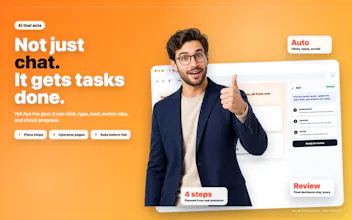
Aye is a Chromium-based AI browser for macOS and Windows that gives web work a teachable AI intern. It reads visible pages, plans steps, and works through normal browser actions: clicking, typing, scrolling, switching tabs, and checking results. Summarize pages, research across tabs, draft replies, and automate repeatable workflows. Turn recurring tasks into reusable skills, separate accounts with profiles, and stay in control with reviewable progress and approval for sensitive steps.




Congrats on the launch! I’m curious about how Aye handles websites that frequently change their layouts. If I teach it a workflow today and the buttons or page structure change later, can it adapt based on context, or would I need to retrain the skill?
@jing_chang3Thanks for asking.Aye’s skills work more like a regular AI agent than a fixed macro. It has some ability to understand the page, judge the context, and find the appropriate next step, so a skill should still work through many normal layout changes.
Of course, major website changes can occasionally affect a workflow. If that happens, you can adjust or re-teach the relevant steps instead of rebuilding the entire skill from scratch.
Interesting concept.
I'm curious—what surprised you most about how people actually use Aye compared with what you originally expected?
@aryan787544 Thanks, Aryan! What surprised us most from the launch conversations was that people seemed less interested in one-off summaries than in teaching Aye repeatable workflows. They also cared deeply about control: what happens when a page changes, when a task partially fails, and when the agent should pause for approval. It made me realize that reliability and review ability matter just as much as automation.
The profiles feature is great for keeping things separate, but I'd love to see some kind of shared library or way to export a skill I built on one profile and use it on another. Right now if I make a really useful workflow on my personal profile, I basically have to rebuild it from scratch on my work profile. A simple import/export button for skills would save a lot of time and honestly would probably get me using Aye way more across both accounts.
@fahri1585951 Good news, you shouldn’t need to rebuild it. Aye’s Profile windows keep tabs, cookies, sign-ins, and site data separate, but your skills are shared across profiles. So you can open a work profile and use the same skill you created in your personal one.
If it’s not showing up for any reason, you can reach the maker at https://okaapps.com/support.
honestly the profiles idea is solid but you should let people share skills across profiles with like a simple export/import, or even a small community gallery. would make those reusable automations way more useful instead of rebuilding the same one in every profile
@tunahan7j2k Thanks for the suggestion! Skills in Aye are already shared across profiles, so you don’t need to export and import a skill just to use it in another profile.
Separate export and import options could still be useful for sharing skills with other users or moving them between different devices, though.
the approval step for sensitive actions is genuinely thoughtful, you know most browser agents just bulldoze through stuff without checking. feels like the team actually thought about trust before shipping.
@duyguerayaa60h yep, that stood out to me too, and it’s one reason I was excited to share Aye. Letting it handle routine steps while keeping sensitive actions under the user’s approval feels like the right balance.
@Xiao Chen fair enough, honest answer beats a made-up one. Good to hear it's reading the page and checking results rather than blind replay, that's the piece that worried me most. Will follow up with the support page if I end up trying it on anything credential-heavy.
@omri_ben_shoham1 Totally understandable—credential-heavy workflows deserve extra caution. We’ll make sure the support documentation clearly explains what Aye can access, how sensitive data is handled, and where users remain in control. Thanks for raising such a thoughtful concern!
3. 之前一堆浏览器插件堆在一起巨卡,换Aye直接内置自动化,不用额外装工具,自动填表、批量查数据全交给AI,效率直接翻倍,
@bbeans_xie 谢谢!这正是Aye 的一个出发点:把浏览器、AI 和自动化放在同一个工作流里,减少插件拼装和来回切换。后续使用中有任何不顺的地方,也欢迎随时告诉我们!