Launching today

Awesome Popups
Turn any Webflow element into a popup.
13 followers
Turn any Webflow element into a popup.
13 followers
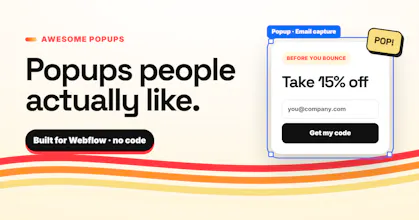
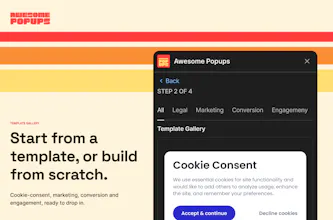
Stop pasting popup widgets into sites you spent weeks designing. With Awesome Popups, you build the popup in the Webflow Designer, then add triggers (exit intent, scroll, time, click), targeting, frequency caps and multi-step flows. Built-in analytics show what actually converts. Works with Webflow forms, Zapier and webhooks.


Hey Hunters! 👋
Jakob here, from Flowout. We're a Webflow agency, so most of our week is building sites for B2B SaaS companies.
And on almost every project, at some point someone asks: "Can we add a popup?"
Every time, we ended up with one of two options:
1. A third-party widget that ignores your fonts, breaks on mobile and looks like it was designed in 2014.
2. Custom JS that works great until someone else has to touch it.
So we built the thing we kept wishing existed.
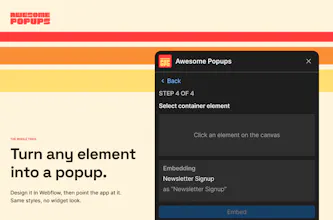
With Awesome Popups, you design the popup in the Webflow Designer like any other element. Same classes, same fonts, same breakpoints. Then you choose:
-> When it shows (exit intent, scroll depth, time, click)
-> Who sees it (page, visitor type, device)
-> How often, so nobody gets the same popup 11 times
-> What happened - with views, clicks and conversions built in.
It also does multi-step flows, connects to Webflow forms, Zapier and webhooks, and one plan covers all your sites. That last part came from us managing over 490 client sites and refusing to pay per site.
I'd love your honest feedback, especially:
-What do you use for popups right now?
-What would make you switch?
Me and the team will be in the comments all day. Ask us anything, including "why not just write 40 lines of JS." Trust me - we have opinions ;)
Hey PH, Luka here (co-founder at Flowout).
Yes, we built a popup app. I know. Everyone hates popups.
But after building hundreds of Webflow sites, I don't think people hate popups. They hate ugly popups that show up at the worst possible moment. You spend three weeks arguing with a client about letter spacing, then someone installs a widget with the wrong font, a drop shadow from 2011 and a "powered by" badge nobody asked for.
Awesome Popups fixes the ugly part. You design the popup in Webflow like any other element, click it on the canvas, and it becomes a popup. It uses your classes, your fonts and your breakpoints. For the bad timing part you get exit intent, scroll depth, page targeting and frequency caps, all inside the Designer.
Try it, break it, and tell me what's missing. I'm here all day.
Sergej here, co-founder at Flowout.
One thing I've learned building products: the workarounds people hack together tell you more than feature requests.
With popups, the workarounds were everywhere. Hidden divs toggled with interactions. Copy-pasted scripts for exit intent. Cookies set by hand so the popup doesn't show 11 times. Every site had its own version, and nobody wanted to touch it.
That was the signal. I'd love to hear what workarounds you're using today!
As a product designer polishing pop-ups and modals always sat in my to-dos for any project, having plug and play pop-ups will definitely increase my productivity.
@anthony_kimani Thanks Anthony! Yeah pop-ups are always the "we will polish at the end" task, and then the end comes and they ship looking like a 2014 newsletter modal - that's exactly why we built this.
Out of curiosity, what kind do you build the most often? Newsletter signups, promos or exit-intent?