AudioSwift

AudioSwift

Use your trackpad as a MIDI controller.

1 follower

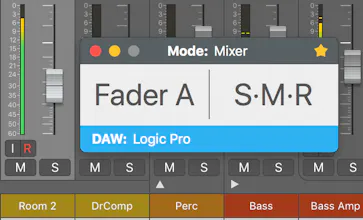
AudioSwift for macOS lets you use a trackpad as a MIDI controller. Control virtual instruments in your DAW, make beats, play notes and even edit photos faster in Adobe Lightroom, all by just using simple touch gestures over the trackpad. Try our free demo!
AudioSwift gallery image
Launch tags:Macβ€’Productivityβ€’Music
Launch Team
Unblocked AI Code Review
High-signal comments based on your team's context
Promoted

What do you think? …

Nigel Rios
AudioSwift is easy to use: choose 1 of the 5 controller modes; then tap the trackpad with a four or five fingers tap to turn on AudioSwift. Touch the trackpad and it will send MIDI messages. When you finish, hit the escape key to turn AudioSwift off.
Salinger Lynn
thanks
Adam Tony
Look awesome!