
anyutil.io
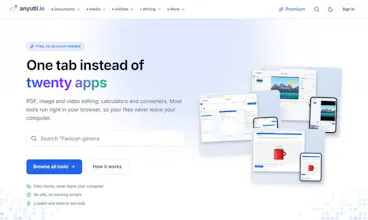
116 file tools in one tab. Private, free, in your browser
1 follower
116 file tools in one tab. Private, free, in your browser
1 follower
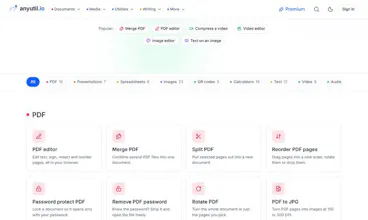
116 free tools for PDFs, images, video, audio and text: full editors, converters, compressors, OCR, invoices and more. Most run entirely in your browser, so files never leave your computer. No ads, no tracking, no account needed.

Hi Product Hunt! I'm Matej, a solo maker from the Czech Republic.
AnyUtil started because I got tired of dealing with ad-filled websites every time I needed to do something simple like compress a PDF or trim a video. Those sites often made me upload my files somewhere I didn't want to. So, I built my own toolbox and kept adding to it until it had 116 tools.
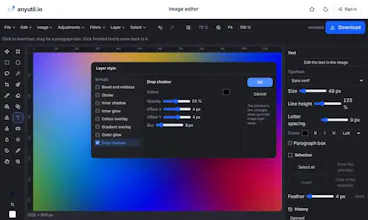
The main idea behind it all is that your files should stay on your computer unless it's absolutely necessary to move them. Most of AnyUtil works right in your browser. The PDF editor, image editor (with layers, masks, adjustment layers, and layer styles), video editor with a multi-track timeline, converters, and compressors all use WebAssembly versions of ffmpeg, qpdf, and tesseract. Your files open locally, are processed locally, and download locally. A few tools that use a lot of machine learning (like audio transcription and background removal) run on the server and delete everything right after.
Here are a few things I think you'll find useful:
- Image background remover tool
- A proper PDF editor. Reorder pages, annotate, fill forms, compress, edit text, and export, all locally in your browser with zero uploads.
- Video editing that includes transitions, captions, and export, without any uploads or watermarks.
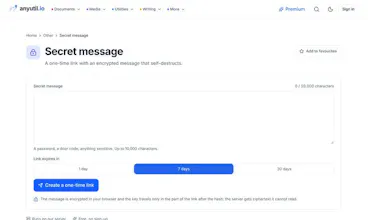
- A self-destructing message tool that's encrypted in your browser, and the key never goes to the server.
- An invoice generator, OCR to make PDFs searchable, QR codes with gradients, and about a hundred other smaller tools.
It's free, you don't need an account, there are no ads, and no tracking scripts. The premium version (a few dollars a month) just makes the daily limits much larger and helps keep the project going.
I'm really interested in hearing what you think is missing, what's not working right, or if there's one tool that would make you use this every day. I'll be around to read and reply to your comments!