XLSX Studio

XLSX Studio

Professional data migration tools for ERP consultants

4 followers

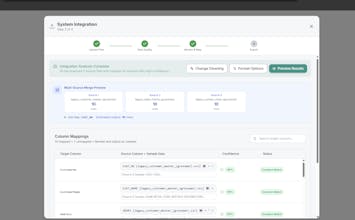
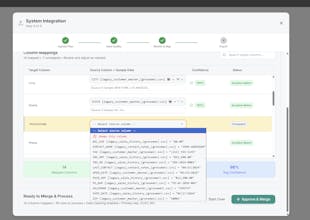
Built for ERP consultants and systems integrators handling data migrations. XLSX Studio eliminates the tedious 80% of migration workcleaning legacy data, mapping schemas, and transforming formats. Migrate from any legacy system with tools designed for professional migrations to modern solutions. Multi-source merging with primary key conflict resolution Schema mapper with reusable templates 23+ data type auto-detection and cleaning Phone/address standardization for master data
XLSX Studio gallery image
Free Options
Launch Team / Built With
Intercom
Intercom
Startups get 90% off Intercom + 1 year of Fin AI Agent free
Promoted

What do you think? …

Alex Fisher
Maker
📌
I built XLSX Studio after watching ERP projects consistently lose time and money in the same place: spreadsheets. Every migration, integration, or reporting initiative eventually hits Excel , where teams are forced into copy-paste workflows, manual column matching, fragile formulas, and endless data cleanup just to make files importable. And when the reporting is wrong, the ERP gets blamed, but the real bottleneck is everything that happens before the data ever touches the system. The goal with XLSX Studio was simple: make spreadsheet data preparation structured, repeatable, and fast without requiring scripts, macros, or heavyweight tools. Upload a file, clean and standardize it, validate the data, and move on. During development, the scope naturally expanded. Once teams had reliable migration tooling, they wanted the same consistency for ongoing operations so XLSX Studio grew into a broader platform for Excel cleanup, transformation, validation, and custom workflows when standard rules don’t apply. It’s built for real operators, analysts, and implementation teams who live in spreadsheets every day and are tired of pretending Excel chaos is “just part of the process.”
Alex Fisher

Hey everyone! Quick note about a feature I just shipped - there's now a feedback button in the lower right corner (visible when you're logged in).

It automatically captures a screenshot of your current view plus any console errors, so I can see exactly what you're experiencing when something needs fixing or improvement. Makes it way easier to squash bugs and understand feature requests in context.

Would love to hear what you think! 🚀