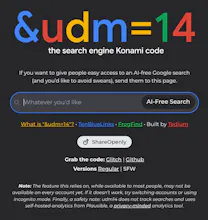
Forget AI. Google just created a version of its search engine free of all the extra junk it has added over the past decade-plus. All you have to do is add "udm=14" to the search URL.
Is there an alterntive way to navigate into it? Of course you can setup the URL by yourself, but is there like over the advance search? https://www.google.com/advanced_...
Not going to lie: I have zero regrets about using a profanity in the tagline, which ties into the bigger issues with the “enshittification” of products by large companies. (It says “disenshittification” upon the suggestion of Cory Doctorow, coiner of the term, BTW.) I did concede to people who may not want to share that line with their parents or their coworkers and created a safe-for-work version on a different domain, which I kind of like as a brutalist A/B test.
I built this in an hour, using the most basic of tools, and it’s seen an outsized wave of attention since then.
My goal for this, beyond simplifying a confusing search, is to make the &udm=14 code famous, or well-known enough that people are aware of how to work around a dark pattern in Google’s interface. Given that it’s received upwards of 125,000 views in five days and a wide array of media coverage, I think it’s done well on that front.
My hope is that Google is paying attention to how many people really just want a no-nonsense version of their interface, no AI, knowledge panels, or even ads. Charge for it if you have to—you already have half the world’s credit card numbers! Heh.
One note: It’s listed as open-source, but it actually has a Creative Commons Zero license, effectively putting it in the public domain. If you want to put up your own version with different tags or a different design, feel free.
Report
If anyone has as a trick to get it working in Safari I’d love to know.
Google's stripped-down search is a refreshing change, allowing users to focus on what matters most: finding relevant information quickly and efficiently. By simply adding "udm=14" to the URL, you can enjoy a clean, no-frills search experience without any extra clutter.
Report
Upvoted because I appreciate the straightforward tip! It’s becoming pretty overwhelming with all the AI optimizations in search engines lately. A clean, no-nonsense search experience is much-needed.
I do wonder tho, how consistent the results will be using this method. Have you tried it for various types of searches, and does it hold up well compared to the standard search experience?
Thanks for sharing this practical advice!
@max_panke As far as I can tell, it simplifies down to the original Ten Blue Links, and the results largely match the “All” version minus all the extra stuff.
If you use the knowledge panels, you won’t have access to them in this view. I recommend using both so you have access to those.
There are some quirks I have noticed with the interface—sometimes the “Books” link, for example, doesn’t show up in the Web view. But for the most part, it is a simple take on an interface that has long been simple.
Report
Introducing &udm=14 brings a refreshing simplicity back to web searches! How does &udm=14 ensure that the search results remain relevant and high-quality despite stripping away the AI enhancements and additional features?


Osaurus
Bookmer
&udm=14
ReplyMind
&udm=14