Tab Lock Pro - Secure Your Tabs

Tab Lock Pro - Secure Your Tabs

Password-protect sensitive tabs in your browser

2 followers

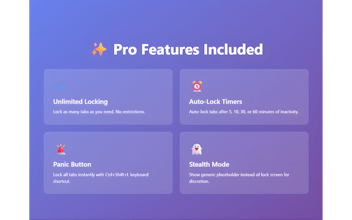
Tab Lock Pro protects sensitive browser tabs with password security - perfect for shared computers. What makes it different: šŸ” Lock individual tabs, not entire browser ⚔ One-click protection with master password šŸŽÆ Auto-lock after inactivity šŸ‘ļø Visual blur for locked content šŸš€ Lightweight & fast Secure banking, email, and private tabs while keeping others accessible. No data collection - everything stays local.
Tab Lock Pro - Secure Your Tabs gallery image
Free Options
Launch tags:Chrome Extensions•Privacy•Security
Launch Team / Built With
Flowstep
Flowstep
Generate real UI in seconds
Promoted

What do you think? …

Eftekar Amil
Maker
šŸ“Œ
Hey Product Hunt! šŸ‘‹ Excited to launch Tab Lock Pro today! The problem I solved: Ever step away from your desk at work, the library, or a coffee shop and worry about someone snooping through your open tabs? Closing everything is annoying, but leaving sensitive tabs open is risky. The solution: Tab Lock Pro lets you password-protect individual tabs. Lock your banking, email, or private shopping tabs with one click, while keeping your other tabs accessible. Key features: āœ… Master password protection for all locked tabs āœ… One-click lock/unlock from extension popup āœ… Auto-lock after customizable inactivity period āœ… Visual blur effect on locked tabs āœ… No data collection - everything stays local āœ… Works offline Free version includes: Lock up to 5 tabs simultaneously Basic password protection Manual lock/unlock Premium unlocks: šŸ”“ Unlimited locked tabs šŸ”“ Auto-lock on inactivity šŸ”“ Custom lock timers per tab šŸ”“ Whitelist trusted websites šŸ”“ Advanced blur customization šŸ”“ Keyboard shortcuts Privacy first: Your passwords and tab data never leave your device. No servers, no tracking, no accounts required. I built this because I work in shared office spaces and needed better control over my privacy. Would love your feedback! What features would make this more useful for your workflow? šŸ”’