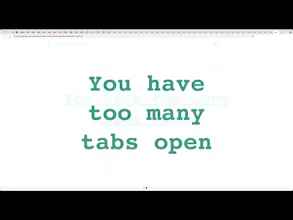
The classic browser bookmarks alternative that works better for number of cases. Thechnically it is a simple chrome browser extension that allows you to have a bucket of temporary saved tabs to use later.
No reviews yetBe the first to leave a review for Tab Bucket
I think Chrome released a Reading Later feature recently and you can test it in Experimental Mode. So ... I think the idea is good but Chrome feature might make this obsolete.
@limitcracker hi, Giannis. Thank you for the tip. I'll check it out. It would be great if the browser will have a native solution for the problem out of the box.
@limitcracker about the Chrome new feature. Do you mean the tab groups system? If so, it solves a different problem than TabBucket. If you create a group, your tabs are still eating your RAM and you still see them. TabBucket saves URL and all the tabs in the bucket are technically closed. The groups feature is the way to organize your tabs. If you use TabBucket, it's more like having temporary bookmarks.
Please let me know if you meant other beta-feature. Thank you.
Report
@ancoopa I realise this conversation was 3 months ago, so I'm chiming in with an update. @limitcracker wasn't talking about tab groups, the "Reading List" feature is a separate feature. It's more prominent on mobile Chrome I think, but it's visible now on desktop Chrome when bookmarking a tab - I personally don't use it much. Info here: https://support.google.com/chrom...
So simple, yet so powerful. Getting it, thanks so much! I used the great expander (or so) for a while, but that just unloaded the tabs, but they were still all there. This is so much better now!
I had the problem of an infinite amount of opened tabs in my browser. After some time I came up with the solution. And now I share it with you. Enjoy! ^^
Report
Excellent, I'm glad that someone has finally approached this issue 👍




MonoTimer
MonoTimer
Angle Audio
MonoTimer
MonoTimer
MonoTimer
MonoTimer
MonoTimer
MonoTimer