Streamie

Streamie

IP camera video streaming made great.

1 follower

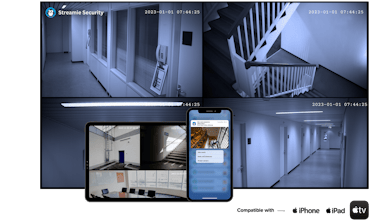
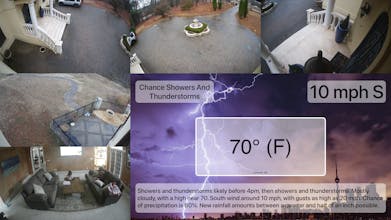
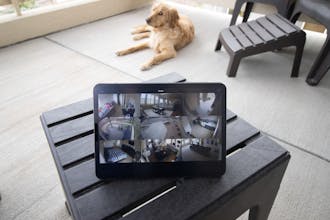
Discover, stream, record, monitor, remotely manage and share your HomeKit, Google Nest, UniFi Protect and ONVIF / RTSP-compatible IP cameras & NVRs on iPhone, iPad, Apple TV and Mac with Streamie.
Streamie gallery image
Free Options
Launch Team
Anima - OnBrand Vibe Coding
Design-aware AI for modern product teams.
Promoted

What do you think? …

Curtis Jones
Maker
📌
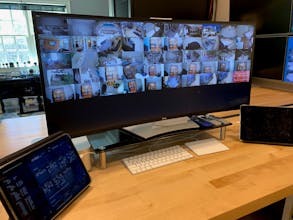
I just wanted to get my new home security cameras streaming on my office television, which ended up involving four copies of VLC.app and a long HDMI cable from my "trash can" Mac Pro. That was nearly ten years ago. Today, Streamie is used all over the world, primarily by fans of the Apple TV (it also works with iPhone, iPad and Mac), which can handle thirty-six concurrent 1080p streams (possibly more) -- streaming, monitoring and recording each of them. There's a laundry list of features built on top of that foundation, nearly all of them originating from customer use cases and perspectives that I never would have dreamt up on my own. One user who is developing a hardware product that is in need of an app, got in touch because of Streamie's minimal latency. Another user in the broadcast industry got in touch because he wanted a little latency in exchange for smoother video. A celebrity user wanted to make use of some of the more advanced recording and monitoring features, but only if access could be disabled on some devices to protect privacy. A startup security company with various types of cameras in a couple dozen remote customer locations called recently and wanted to monitor cameras at each location from their central office -- no problem; Streamie can do that. We failed for a year at B2C marketing (even with an agency running the show), and have found a little more success with B2B (even without an agency running the show). Marketing is not my thing. I've found that it's a long, uphill slog to get someone to pull the trigger on installing that very first camera, but then the next half-dozen come very easily. Streamie has always been free to use with a single camera, but the more interesting features are evident when you have several cameras, several devices and even several physical locations. Install the app and create a support ticket in the Help tab and I'm happy to upgrade anyone who wants to evaluate the app.