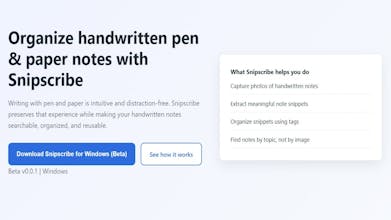
Snipscribe helps you organize handwritten notes without giving up pen & paper. It turns photos of your handwritten notes into small, meaningful snippets using simple notations you add while writing (or after writing). Snippets can be tagged and organized by topic, not date. Notes are stored locally, work offline, and avoid cloud lock-in. Built for old-school note-makers.
Vy - Cross platform AI agent — AI agent that uses your computer, cross platform, no APIs
AI agent that uses your computer, cross platform, no APIs
Promoted
Maker
📌
Snipscribe helps you organize handwritten notes—without giving up pen and paper.
Pen and paper are still the fastest, most distraction-free way to think. I always return to notebooks when learning or brainstorming—but the problem starts later. Notes end up scattered across multiple notebooks, and once you photograph them, they turn into an unsearchable pile of images.
I built Snipscribe to solve exactly this.
Snipscribe turns your handwritten note photos into snippets—small, meaningful sections of your notes—based on simple notations you add while writing. These snippets can be:
Organized into custom folders
Tagged by topic
Browsed by what they’re about, not when they were created
Your notes are saved locally on your disk, so there’s no internet dependency, no cloud lock-in, and no closed ecosystem.
Snipscribe is currently in early beta, so things may break. If you’re an old-school note-maker, I’d love for you to try it on a real notebook page and tell me:
What feels intuitive?
What feels unnecessary?
What would make this fit into your existing workflow?
Your feedback directly shapes where this product goes next. Looking forward for your suggestions :)
Post your note-making technique that you think is a game-changer for your workflow.
I personally think through a topic using keywords as a bullet point, then extrapolate using simple diagrams. My notes are all over the place, but it gets my ideas organized :)
Snipscribe helps you organize handwritten notes—without giving up pen and paper.
Pen and paper are still the fastest, most distraction-free way to think. I always return to notebooks when learning or brainstorming—but the problem starts later. Notes end up scattered across multiple notebooks, and once you photograph them, they turn into an unsearchable pile of images.
I built Snipscribe to solve exactly this.
Snipscribe turns your handwritten note photos into snippets—small, meaningful sections of your notes—based on simple notations you add while writing. These snippets can be:
Organized into custom folders
Tagged by topic
Browsed by what they’re about, not when they were created
Your notes are saved locally on your disk, so there’s no internet dependency, no cloud lock-in, and no closed ecosystem.
Snipscribe is currently in early beta, so things may break. If you’re an old-school note-maker, I’d love for you to try it on a real notebook page and tell me:
What feels intuitive?
What feels unnecessary?
What would make this fit into your existing workflow?
Your feedback directly shapes where this product goes next. Looking forward for your suggestions :)
Snipscribe helps you organize handwritten notes—without giving up pen and paper.
Pen and paper are still the fastest, most distraction-free way to think. I always return to notebooks when learning or brainstorming—but the problem starts later. Notes end up scattered across multiple notebooks, and once you photograph them, they turn into an unsearchable pile of images.
I built Snipscribe to solve exactly this.
Snipscribe turns your handwritten note photos into snippets—small, meaningful sections of your notes—based on simple notations you add while writing. These snippets can be:
Organized into custom folders
Tagged by topic
Browsed by what they’re about, not when they were created
Your notes are saved locally on your disk, so there’s no internet dependency, no cloud lock-in, and no closed ecosystem.
Snipscribe is currently in early beta, so things may break. If you’re an old-school note-maker, I’d love for you to try it on a real notebook page and tell me:
What feels intuitive?
What feels unnecessary?
What would make this fit into your existing workflow?
Your feedback directly shapes where this product goes next. Looking forward for your suggestions :)