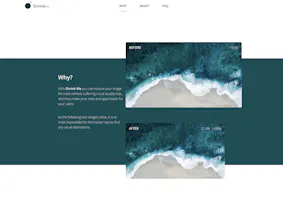
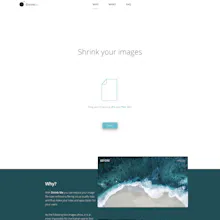
Shrink Me is a compresion tool for your JPG & PNG images, in order to make your site smaller and faster for your users. If your ever needed to compress an image in a simple and intuitive way, Shrink Me is the the tool for you!
@johnbhiggins Thanks for testing Shrink Me! Currently I do not plan to support Guetzli, but I will take it into consideration and add it to my list. Maybe I'll support it in the long run ;)
Report
Hi Filipe,
Thank you for your app but I am puzzled why would you release it in its current state... While the site looks fine enough [even if a bit confusing in the message at times], the actual product, is far inferior in result to other results out on the internet - there are many solutions both online and download that do visually perceptively equivalent image manipulation [optimization/compression etc].
It doesn't (unless I missed something) offer a single advantage over other tools out on the market a bunch of which are also free.
So what's the roadmap and unique 'selling points' of your solution?
@exlemor
Hi Emmanuel,
thanks for testing Shrink Me! The unique selling point of Shrink Me is that the compression happens within the browser. That means that all your images which you compress on Shrink Me stay on your computer (browser) and won't be uploaded to any server.
Other services such as TinyPNG upload your images to a server and compress your files from there. This has the disadvantage that you don't know what happens to your private images.
Also, Shrink Me works offline in any modern browser (with Service Workers support), which is also quite unique! While it's true that some sites might offer a stronger compression ratio, Shrink Me is free, ad free, fast, offline capable, and easy to use! Please keep in mind that I created Shrink Me as a fun side project in order to extend my developer knowledge ;)
Great tool and I love that it works offline as well.
Just a little tip: The example images imply that you also change the width and height of the image.
@trevin Glad you liked it! Sounds like a great idea. I will take it into consideration ;)
Report
FYI in Firefox (61.0.2) -- the post-optimization save function isn't appending the .zip extension, which results in an unknown file type ("CompressedImages_ShrinkMe" instead of "CompressedImages_ShrinkMe.zip").
For the mac:
How does it stand gains the fantastic duo Pngyu & ImageOptim?
(I exclude JPEGMINI because you need to pay for it, even if it deserve the price)
It's helpful when you need to post/send smth but the image is to big. You simply need to drag and drop the picture to get resized one. So there's no need to use PS or any other complex editor.
Shrink Me
Shrink Me
Raceday.me
Shrink Me
Tally: Sports Predictions
Shrink Me
Shrink Me
Shrink Me
Luminar Neo
It's helpful when you need to post/send smth but the image is to big. You simply need to drag and drop the picture to get resized one. So there's no need to use PS or any other complex editor.
Pros:Clean interface, easy to use
Cons:none
Shrink Me