Launched this week
SharePoint Approvals by CNEXT

SharePoint Approvals by CNEXT

Replace your SharePoint Designer Approval Workflows - now

3 followers

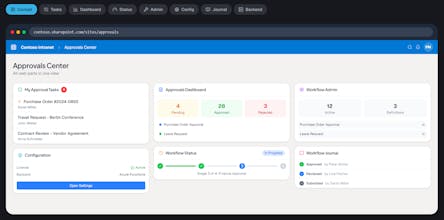
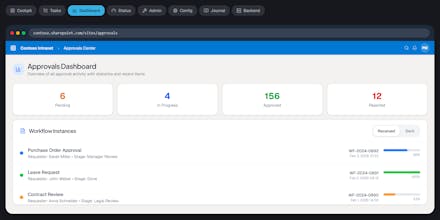
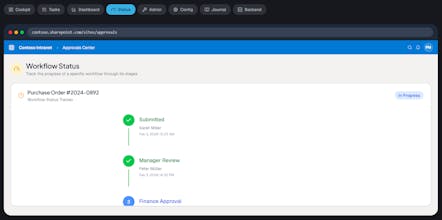
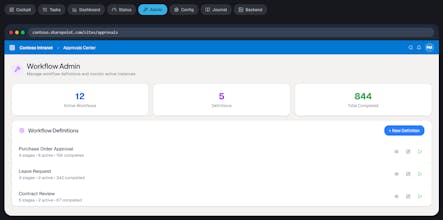
Replace your SharePoint Designer Workflows now. A comprehensive toolset built specifically for approvals. Powerful Task Actions, History, and Sequential Flows for SP 2019, SE, and Online.
SharePoint Approvals by CNEXT gallery image
Free
Launch tags:Productivity
Launch Team / Built With
Wispr Flow: Dictation That Works Everywhere
Stop typing. Start speaking. 4x faster.
Promoted

What do you think? …

Marcel Haas
Maker
📌
With over 20 years of hands-on experience working with SharePoint, I've watched the platform evolve from its early days to the modern Microsoft 365 ecosystem. Microsoft's decision to end support for SharePoint 2010 workflows (along with related components like SharePoint Designer 2013 and Workflow Manager) in on-premises environments—specifically for SharePoint Server 2016, 2019, and Subscription Edition—on July 14, 2026, marks a clear and necessary push toward modern, cloud-first automation tools. This is a positive step for long-term security, scalability, and innovation. However, it creates real challenges for many organizations still running these legacy workflows. Often built directly in SharePoint 2010 (or via SharePoint Designer), these processes were heavily customized by business users, IT teams, or citizen developers to handle critical tasks like multi-stage approvals, notifications, data routing, and compliance-driven actions. Many of these workflows remain in use today precisely because of strict compliance requirements, data sovereignty needs (especially in regulated industries or on-premises setups), or simply the high cost and risk of full migration to Power Automate or other cloud-native solutions. Migrating complex, intertwined workflows—sometimes spanning dozens of lists, custom conditions, and error-handling logic—can be time-consuming, expensive, and disruptive. That's where our new product steps in: it bridges the gap between doing nothing (and risking unsupported legacy systems post-2026) and jumping straight to expensive, enterprise-grade "big player" platforms like full Power Automate deployments, Nintex, K2, or custom Azure Logic Apps solutions. We deliver a cost-efficient approval workflow solution built specifically for SharePoint environments. It leverages modern SharePoint technologies (such as SharePoint Framework, modern lists/libraries, Microsoft 365 integrations, and responsive forms) while powering the reliable backend with solid PowerShell scripting for on-premises or hybrid scenarios. This hybrid approach keeps things lightweight, avoids heavy licensing dependencies, and minimizes migration effort—allowing you to replace outdated 2010-style approvals quickly and affordably without rewriting everything from scratch. Key benefits include: Low-cost entry — no need for premium connectors or per-flow licensing traps that come with some cloud-heavy alternatives. Familiar yet modern — preserves the simplicity users loved in SharePoint Designer while adding contemporary features like better mobile support, conditional logic, and audit trails. Compliance-friendly — supports on-premises/hybrid data residency where required, with easy export/import for future-proofing. Quick deployment — focus on approval scenarios (the most common 2010 workflow use case) so you can phase out risks before the 2026 deadline. If you're facing the 2026 cutoff and want a pragmatic, budget-conscious path forward—without overcommitting to a massive overhaul—our solution fills exactly that middle ground. It keeps your critical processes running smoothly today while positioning you for an eventual smooth transition to fully modern tools when the time is right. Feel free to reach out if you'd like to discuss how this could fit your specific SharePoint setup!