sendsheets 

sendsheets 

 send personalized emails with google sheets

128 followers

Hey @name! Sendsheets lets you send personalized emails using Gmail and Google Sheets. No more copy paste, or complex mail merge tools. Simply paste the sheets-link and write the email w custom variables. We built it because we wanted it ourselves.
sendsheets  gallery image
Free Options
Launch Team / Built With
OS Ninja
OS Ninja
Explore and Learn Open Source using AI
Promoted

What do you think? …

Pontus Karlsson
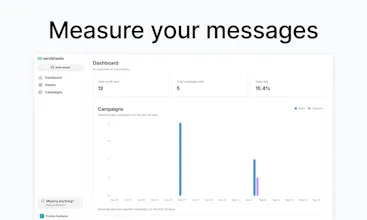
Hey Product Hunt! We built Sendsheets because we wanted it ourselves. Everything we do runs on Google Sheets, but emailing from them sucks. Too much copy-pasting, clunky mail merge tools, and wasted time. Sendsheets makes it simple. Send personalized emails with Gmail using your sheet data. Just drop in the Sheets link, write with custom variables, and send. You can schedule emails, track open rates, and get things done faster and better. We’d love your feedback!
Daniil Gudkov
@coolastekatten i got to test it right now! I have too many emails to send and I’m procrastinating for two weeks finding the easy way to do it! This is a honest feedback I dont know the founder or the team or the hunter! Looking forward to test the product!
Derek Wong
@coolastekatten Excited to check this out! Seems perfect for post-conference followups
An elegant and simple approach @coolastekatten. Also, I like how the logo correlates to Sheets but is still different
Eric Zakariasson
@akigugale thank you, appreciated!
Ohans Emmanuel
This is brilliant! and I've built my fair share of email products. There's a limit to how many bulk emails you can send via gmail. How do you handle this in sendsheets? Good luck with the launch 🚀
Eric Zakariasson
@ohansemmanuel Thanks! Great observation about Gmail's sending limits. Sendsheets handles this by automatically spacing out emails to stay within Gmail's daily quotas (500/day for personal accounts, 2000/day for Workspace). If you hit the limit, our smart queue system pauses and resumes sending the next day. We also show real-time status tracking so you know exactly where each email stands. No need to worry about managing those limits manually!
Ohans Emmanuel
@ecz Clever! Thank you, and good luck with the launch! 🚀
Raghu_Rtr
all the best buddy 🙂👍
Ruben Benarroch Esayag
wow you really got into my heart! i was waiting so much for this without even knowing i need it it! the thing that i appreciate the most is the simple text without actually using a theme or a html template structure, i hate those emails, like you guys do it is beutiful! signin up right away! ill give you feedback when i'll use it a bit
Eric Zakariasson
@rupgo thank you! looking forward to feedback!
Ruben Benarroch Esayag
first thing, i like the GIF explanations, but they should be in english ;) and also some kind of initial example of whats the best practice on how my sheet be formated to understand the variables (name, phone, email etc)
Eric Zakariasson
@rupgo that's a great point!
Ruben Benarroch Esayag
cool things i would love to have here: 1) what if i have too many emails, can the tool by set up to send by a limited amount per day like 300 per day so google doesnt block my account 2) what about if i have some sort of tags in my spreadsheet, and i want to make rules like exlude this tag or only send to this tag? 3) is there a way that if i filter the sheet you onllye send to the filtered contacts?
Eric Zakariasson
@rupgo thanks ruben! 1. yes, we limit to 500/day for personal accounts and 2000/day for workspace 2. absolutely! you can filter on all the attributes, just like you would in spreadsheets 3. exactly. so if you filter on any property, then youll just send to them
12
Next
Last