
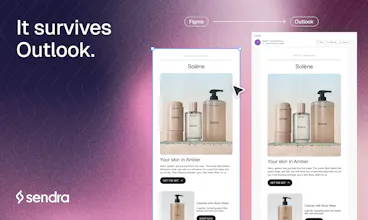
Sendra is a Figma plugin that turns your email designs into clean, responsive HTML that renders in Gmail, Outlook, Apple Mail and every major inbox. Select any frame you've already designed. No component library, nothing to rebuild. Per-element control over stacking, spacing and sizing on mobile, plus dark mode overrides. Every rendering rule is checked against real devices, not preview tools. Sendra hosts your images and sends a test to your inbox, so you see the real thing before shipping.




What's great
the test-to-your-inbox part is what sold me, every other email tool makes you trust a preview pane and then outlook wrecks it anyway. actually seeing the rendered thing in gmail and outlook before sending saved me from a spacing bug on mobile i never would've caught otherwise
What needs improvement
would like clearer feedback in figma itself when a frame uses something email HTML just can't do, like blend modes or certain effects, before you get all the way to export and find out there
vs Alternatives
had been hand-coding email HTML with tables like it's 2010, or paying for a template builder that fights you the second you want something custom. going straight from a figma frame i already made felt like the obvious shortcut once i saw it
Ratings
Ease of use
Reliability
Value for money
Customization
Report
6 views
Hey Sendra team!
I’m actually converting my emails from Figma to HTML right now, and this tool helped me figure out how to do it without dealing with code, plugins, or all the other technical stuff — definitely not my area of expertise.
Thanks, guys 🙌
@ira_motorina Thanks Irina. Sednra is a Figma plugin, but you never touch code. You design the email in Figma, select the frame, and it hands you the HTML.
I design emails in Figma and then something always breaks in one client I didn't test. Which one still breaks last for you?
Gmail on mobile in dark mode. Everything looks good everywhere else, but when someone opens it in Gmail in dark mode, the colors look different. And Outlook breaks the most for me.
just left a review, the test-to-inbox flow is genuinely the best part. saw your reply about gmail dark mode and outlook color shifts still being the rough edges. curious if sendra flags those as "known risk, check manually" before you even send the test, or if you only find out once the test email actually lands and you're eyeballing it yourself
@galdayan Right now you find out from the test. Sendra handles the rendering itself, but it doesn't tell you ahead of time about which colors dark mode is likely to shift.
That's the next thing I'm building. Flag the risky spots before you send, so you know what to look at instead of eyeballing the whole email.
Thanks for the review.
@joseph_azzi1 nice, that would close the loop nicely. good luck with it