Transparent Background Maker

Remove image background instantly & free using Removal AI

5.0
2 reviews

37 followers

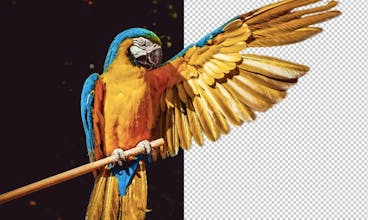
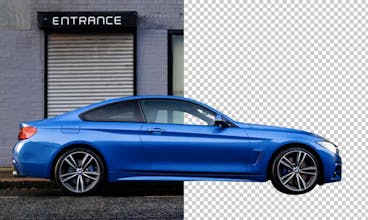
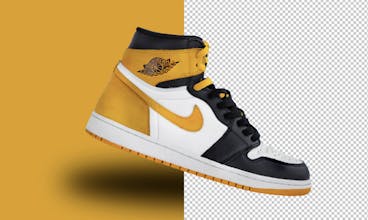
Removal.AI is among the best solutions for automated background removal. Removing image background has always been a tedious, repetitive task that kept individuals and businesses away from reaching their full creative capabilities.
This is the 4th launch from Transparent Background Maker. View more

Removal.AI for Desktop

Bulk Background Remover App for Windows and Mac
Remove background from multiple images in a single upload straight to your desktop using Bulk Photo Background Remover for Windows/Mac:
✅ Drag & Drop Images
✅ Optimize Product Images
✅ Select Background
✅ Set Image Size
✅ Exceptional Cut-out
✅ API access
Removal.AI for Desktop gallery image
Free Options
Launch Team
AppSignal
AppSignal
Get the APM insights you need without enterprise price tags.
Promoted

What do you think? …

Jenn Pereira
Hey Hunters! I am Jenn, I am the Lead Marketer of Removal.AI. We launched our tool early this year here in ProductHunt - https://www.producthunt.com/post... . Our team was surprised by the positive feedback and comments from all of you. Our team is working hard to improve and make our AI to be more functional, efficient and smarter day by day. Today, we are excited to present our latest software - Removal.AI for Windows and Mac! This software enables you to drag images into it and removes the background from an image. It allows you to specify image sizes and provides you an opportunity to pick and select the background color of the images. All changes can be applied to all images you’re working on at the same time. You can drag and drop images individually or upload in bulk (whole folder). Choose even several folders of images to be edited from anywhere on your laptop or computer. You can easily define where to save the background-free images in the settings. Currently we are still developing other applications for Photoshop, Figma, Mobile App for IOS and Android, we are also releasing a high-tech version of our AI tool soon, and many more. With our API, users can instantly process over 1000 images per day or less with the higher output image resolution. We can’t wait to present more awesome features very very soon! Downloading Removal.AI for Desktop (Windows and Mac) is totally free! Give it a try now!
Jenn Pereira
@tanjum thank you. Let me know when you got the chance to download and test.
Ankit Sharma
@jennp Looking good. But kindly remove the free tag from ProductHunt because it is paid and free tool. This is misleading
Jenn Pereira
@ankitsharmaofficial i did. Thanks
Heiko Haller
cool.
Jenn Pereira
@heikohaller feel free to share your download our app and share your experience with us.
ayush gupta
. I really appreciate the fact that we can drag images in bulk and it seems to work very smoothly. In my experience we’ve always had to remove the backgrounds one-by-one. Thanks for the addition! This will make things so much easier.
Jenn Pereira
@gupta_ayushh glad you love it
Artem Sokolov
Good job, guys! Congrats on launch
Jenn Pereira
Tom Foolery
Wow! Your tool has great features and settings. Very simple to configure, select background, set size, choose output quality and more. I really love the image optimization auto settings for ecommerce. That's what I am looking for. Will definitely try this tool.
Jenn Pereira
@foolery thank you for testing our application and sharing your experience with us.
Nik Hazell
Huge time-saving, awesome! @jennp @eric_le3
Jenn Pereira
@nik_hazell thanks nik.
Ryan Chaliff
How many images can I process per hour using this bulk background remover software? And how can I access the API key?
Jenn Pereira
Hey @ryanchaliff! You can process thousands of images depending on the settings of the sizes and the quality of images you need and of course your Internet speed.
1234
Next
Last