
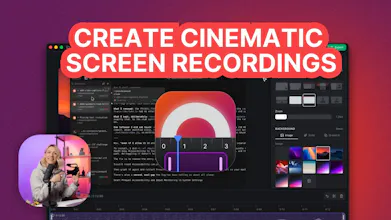
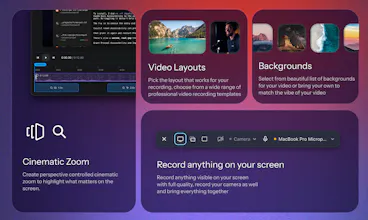
A macOS screen recorder that hands back a finished video. Zooms that follow the work, a framed camera and a background, exported at up to 4K on your Mac's own media engine.


What's great
The whole ease of use and automatic zoom in on click and text typing makes it Loom on steroids. I'm thrilled.
vs Alternatives
Used Loom before, but in stands nowhere near for demos and walkthroughs
Ratings
Ease of use
Reliability
Value for money
Customization
Report
2 views
What's great
the cursor-tracking camera and auto zoom are the actual killer feature here - most screen recorders just hand you a flat capture and leave the editing to you, this one gives back something that already looks intentional. no keyframes, no After Effects, exported straight off Apple Silicon.
What needs improvement
saw another commenter ask about a one-time lifetime payment option instead of monthly subscription - agree with that, for anyone who only needs to make demo videos a few times a year a subscription is a hard sell even if the tool itself is great.
vs Alternatives
compared it to Screen Studio mentally since that's the name everyone brings up for this category, but Prequel's pitch of following your actual clicks and cursor rather than a template zoom pattern felt like a more honest fit for a real screen recording.
Ratings
Ease of use
Reliability
Value for money
Customization
Report
22 views
@haxzie nice we're always looking for ways to make our screen captured walkthroughs better.. thanks. fyi the rock's lawyers gonna come pay u a visit for that lol you got my guts than I do.
@haxzie This pain is very real. I’ve spent way too much time taking simple product recordings into After Effects just to add zooms and make them feel polished. Love the idea of getting that directly from the recording. Would be great to have manual control over the auto-generated zooms after recording too. Is that already possible?
Super cool app! The UI looks crazy good, How are you differentiating yourself in this space?
@abhiigatty Thanks! Prequel gives you fine grained control over the timeline, layouts and zoom effects. It also, auto animates between cuts and scenes with 60FPS, which most of the other apps lacks.
Really nice product, it would be nice to have an additional payment option to OneTimePayment for a lifetime subscription, as for example I myself do not make mockup demo/production videos every month so a monthly subscription wouldn't make sense, but a lifetime would allow me to use the software three/four times a year consistently.
@xarlizard Makes sense, can add a lifetime free one-time payment as well.
@xarlizard I wouldn’t be too hasty on a lifetime option. Just a thought. Google it. App looks awesome btw.
@xarlizard @haxzie I would 100% purchase this as a lifetime / one-time payment.
Zooms that follow the work is the bit people hand-keyframe and give up on. Does it decide from cursor movement or from what changed on screen?
super cool, can we edit videos using text prompts?
@ambx Not yet, but we are adding it soon! We already have an auto edit which by default edits your videos post recording.
Congrats on your launch. Only thing that stopped me from trying is subscription fatigue. I think a lifetime option OR an option for a years license would be better where the person keeps the last version they have. I think that’s fair and if they want updates they’d need to pay for it again.
Cool! Would it work well for recording a demo video for Product Hunt?