
Parall
Create app shortcuts that run in separate spaces on your Mac
51 followers
Create app shortcuts that run in separate spaces on your Mac
51 followers
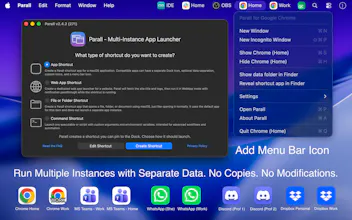
Parall is the first and only macOS app that lets you run multiple instances of any app - natively and without hacks. Create independent macOS app shortcuts with unique data, environment variables, command-line arguments, and add a tray menu icon. Each shortcut behaves like a standalone app with its own Dock icon and settings. Works fully offline, privacy-friendly, and ideal for Chrome-based browsers, Firefox, Slack, Notion, VS Code, Dropbox, Discord and more. Find Parall in the Mac App Store.
This is the 2nd launch from Parall. View more

Parall
Launching today
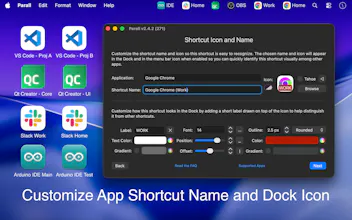
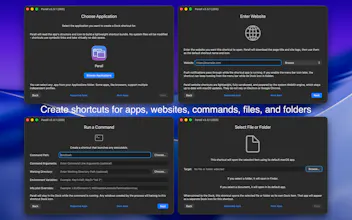
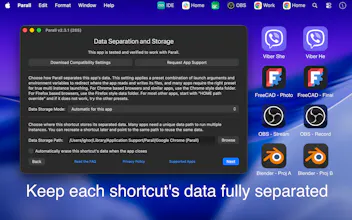
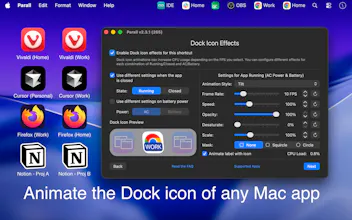
Parall lets you run multiple instances of macOS apps and turn websites into Web App Shortcuts with unique Dock icons, custom data paths, HOME overrides, environment variables, Dock effects, file/folder shortcuts, and command-line launchers.

Payment Required
Launch Team

Paste
Congrats on the launch, Ighor. Do the shortcuts survive app updates, or do they need recreating after the original app updates?
LockLines
@protsenkoalexandra Thanks! Parall shortcuts survive app updates. Once the main app is updated, it is enough to restart the Parall shortcut to get it to launch the latest version of your app.
You would want to re-generate Parall shortcut if you wish to change its Dock icon, Dock effects, or apply the latest Parall update.
Speechmark
I use separate environments for development work, so the HOME override caught my eye. Can a Parall shortcut keep an app’s data and config separate while still opening links and files normally from macOS?
The HOME override is the actual feature here, not the multiple instances. I run three agent CLIs that all write config into ~/ and they stomp each other constantly, so I've been solving it with separate macOS user accounts like an animal. Since this is Mac App Store, does the sandbox actually let a shortcut set HOME and custom env vars for the child process, or does that only hold for apps you launch from its own Dock icon?