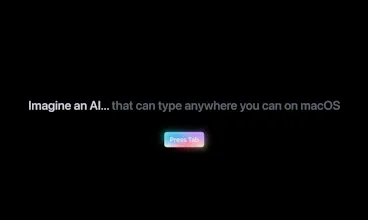
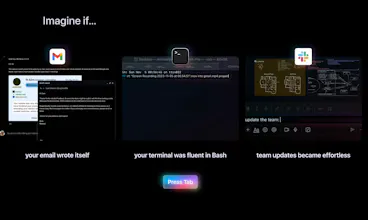
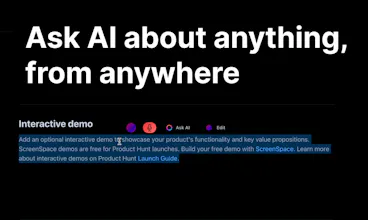
Omnipilot is an AI copilot, everywhere in your OS. It autocompletes text in any app from Apple Notes to Gmail, and let's you generate text in any app on your Mac using context from the apps you recently used.
I didn't even know building this app would be possible when I got started.
Not just because I had barely ever written any Swift code (thanks GPT-4), but I didn't even know if the APIs existed on macOS for making a proper OS-level AI copilot. But here we are! Hell yea
ANyway, enough schtick!
Introducing Omnipilot - your AI copilot, seamlessly integrated into your OS. It’s not just an autocomplete tool, it’s an intelligent assistant that generates and suggests context-aware text in any app you use, from Apple Notes to Gmail.
Using the power of GPT-4, it can generate longer, in-context text like email replies, taking into account the apps you’ve recently used, or even summarise a slack conversation that just got soooooo long.
The big idea is to reduce the friction it takes to use GPT-4 (and whatever else @sama releases soon), so you don't need to copy and paste and laboriously give it context. Instead you can just use AI to accelerate whatever you have to do, anywhere, from responding to a LinkedIn DM, summarizing a Slack channel, or even generating code in Xcode. I find I use AI a lot more now that it has all the context it needs to be useful.
I've aimed to make it minimal yet powerful. Suggestions appear unobtrusively in the corner of your screen or of larger text-boxes, and you can refine and iterate them before choosing to paste them into your app.
Also Omnipilot understands the context you're working in. So, whether you’re editing a document or composing an email, it knows what to suggest.
Omnipilot is not just an AI - it’s your AI. It’s here to make your digital life easier, faster, and smarter.
So useful for quick writing tasks, and I love how it instantly adopts the writing style in the particular app I’m using based on context—it’s more colloquial for WhatsApp, and more professional for email. Having omnipilot as an OS app let’s me use it in browser and in other desktop apps, which lets me use it for way more tasks.
Hi Omnipilot, thanks for the trial, but I'd like to uninstall your software. How do I do that? Is it simply `rm /Applications/Omnipilot.app` or is there anything else to do?
Unfortunately, your website has no instructions on how to remove it AFAICT. Thanks in advance for your help, and best of luck with this project!
Honesty, I'd really like to use this, but without local model support or any insight into what information is sent to the clouds it's a very difficult sell. Add local model support and an FAQ page about *exactly* what gets shared and I'd give this a shot
Omnipilot - AI copilot for macOS