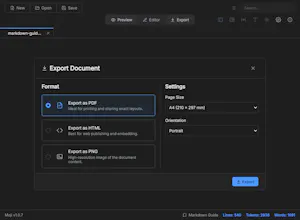
Open Markdown like a document: fast, clean, and distraction-free. Moji is a lightweight reader and editor for Windows, macOS, and Linux, with live preview, Mermaid diagrams, and PDF, HTML, and PNG export.
Hey Product Hunt π
I built Moji because opening a Markdown file often felt more complicated than it should.
Most of the time, I don't want to launch a full IDE just to read a `.md` file. I wanted Markdown to behave more like a PDF:
double-click β read β close.
That simple idea became Moji.
Moji is a free and open-source desktop app for Windows, macOS, and Linux. It focuses on making Markdown pleasant to read, while still giving you an editor when you need one.
Over time, I added things like:
β’ live editor + preview with synchronized scrolling
β’ Mermaid diagrams
β’ LaTeX math
β’ tabs and outline navigation
β’ search and replace
β’ HTML, PDF, and PNG export
β’ support for large Markdown files
β’ 15+ interface languages
It's built with Electron, React, TypeScript, CodeMirror 6, and Mermaid, and the entire project is MIT licensed.
What started as a small tool for myself has grown much more than I expected, but I'm still trying to keep the original idea at the center of it: Markdown should be easy to open and read.
I'd love to hear how you use Markdown today and what you'd like to see in Moji next.
GitHub: https://github.com/alexishida/Moji
Report
@alexishidabrΒ I tried in macos M2 but there is error unable to run kindly check once
Report
Does it render Mermaid blocks, or plain markdown only?
@tomveberΒ Yes, Moji renders Mermaid blocks, not just plain Markdown. It also supports other rich Markdown content, can export individual diagrams as images, and can convert Markdown documents to other formats as well.
I usually open a .md file in VS Code even when I literally just want to read it. This would save me from doing that.
Report
This is something that I have been wanting for ages. I had been relying on using either my ide or obsidian to read the .md files and both also seemed painful, but they worked. Will definitely be looking to give this a spin.
Report
Why did nobody make Markdown feel this simple before?
Report
@victor_guichard12 they did of course.. I use QLMarkdown for md preview but will give Moji a try. Looks cool.
The double-click, read, close bit is the whole pitch for me. The Mac apps I work on live or die on exactly that, not making you open something bigger first. Grabbing this for my notes folder.
Moji
@alexishidabrΒ I tried in macos M2 but there is error unable to run kindly check once
Does it render Mermaid blocks, or plain markdown only?
Moji
@tomveberΒ Yes, Moji renders Mermaid blocks, not just plain Markdown. It also supports other rich Markdown content, can export individual diagrams as images, and can convert Markdown documents to other formats as well.
https://github.com/alexishida/moji
I usually open a .md file in VS Code even when I literally just want to read it. This would save me from doing that.
This is something that I have been wanting for ages. I had been relying on using either my ide or obsidian to read the .md files and both also seemed painful, but they worked. Will definitely be looking to give this a spin.
Why did nobody make Markdown feel this simple before?
Actually useful and very needed tool! Goodluck!
Softorino π»π²
The double-click, read, close bit is the whole pitch for me. The Mac apps I work on live or die on exactly that, not making you open something bigger first. Grabbing this for my notes folder.