

Modern Mermaid
Online flowchart & diagram editor
13 followers
Online flowchart & diagram editor
13 followers
Free online Mermaid diagram editor with live preview. Create flowcharts, sequence diagrams, class diagrams, ER diagrams, Gantt charts, and more. Support for multiple themes, annotations, and exports.


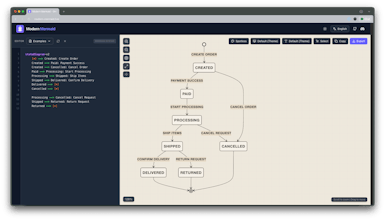
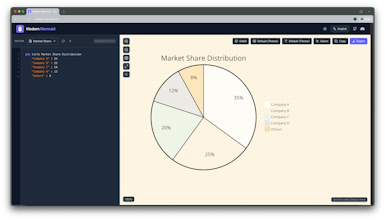


Hey everyone! 👋
I am Glenn, the maker of Modern Mermaid.
Super excited to finally share this project with you.
I built this because I kept jumping between tools to draw a simple diagram — flowcharts here, ER diagrams there, mind maps somewhere else… and none of them felt fast or “developer-friendly” enough. So I made a tool where you can write diagrams like code, preview instantly, and export beautiful visuals with consistent styles.
A few things I’m especially proud of:
✏️ Live preview that updates as you type
🎨 Multiple styles/themes (including a Studio-Ghibli-inspired one!)
📦 Clean exports for docs, blogs, and slide decks
🧩 Designed for devs, indie hackers, PMs — anyone who wants visuals without fighting with UI tools
Would love your feedback — what should I add next?
ERD? VS Code extension? AI-assisted diagram generation?
Thanks for checking it out! 🙌
some example themes here:
We’ve now added AI support as well!!
@cg33 Good job. How about adding a button to copy prompts without jumping to AI website directly
@hugoooo_wang Good idea!
Swytchcode
OMG! This is a super awesome library. What a find!!
I am bookmarking this.
Would have starred and forked but unfortunately, they have have suspended my GitHub account. 😡
@chilarai Thanks so much! Glad you found Modern Mermaid useful.
Sorry about GitHub, but your support means a lot!
Welltory
It would be great to integrate your product into some well-known brands. Or develop it into your own full-fledged organizer.
@teilormusic Thank you so much! Really good suggestions — that’s actually a great angle I hadn’t seriously considered. I really appreciate you sharing this.
Welltory
@cg33 I still haven't found an organizer that does things like create progress charts instead of progress maps (or better yet, both options were available). While there are plenty of them out there, they're very complex and lack full functionality. Also, if you add cross-platform capability, then any modern person will pay any amount of money for it, it seems to me
@teilormusic Hi Evgeny, thanks a lot for sharing this — your perspective is really interesting.
When you mention “progress charts” vs “progress maps,” I’d love to understand the real scenario you have in mind.
Could you share an example of how you would use these in your workflow?
What kind of tasks or projects are you tracking?
This would help me think about whether my tool can support that kind of visualization.