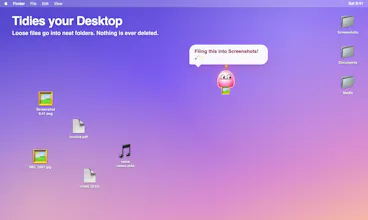
Mochi is a little pink blob who lives on your Mac. It floats around, naps, teases you about late nights and carries loose Desktop files into folders (never deletes, undo any move). Pro adds a tiny life sim: a strawberry tree, a nest and a family to raise.
Hi Product Hunt! I made Mochi because my Desktop was a screenshot graveyard and I wanted some company while I worked.
Mochi is a small pink blob that floats over your screen, reacts to the apps you use, naps now and then and has opinions about your late nights. If you say yes on the welcome card, it also carries loose files into folders. It never deletes or overwrites anything, and you can undo any move from the menu bar.
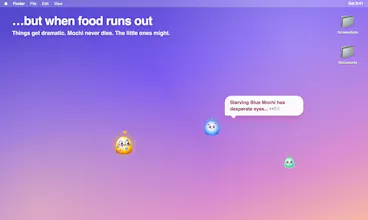
Then it got out of hand: Mochi Pro became a tiny life sim with a strawberry tree, a nest, eggs and babies in new colours. Food is scarce, so how your family turns out is up to you. 🍓 Pro has a free 30-minute trial, then it's $5, pay what you want.
Heads-up: Mochi isn't notarized yet, so first launch needs System Settings → Privacy & Security → Open Anyway. Just once.
Privacy: no account, no tracking. Mochi only goes online to check for updates once a day, to verify a Pro license with Gumroad, and, if you add your own Claude, ChatGPT or Gemini key, to send app-activity context (app names, time, files it's tidying) to that provider.
I'd love your feedback: what should Mochi react to next, and what surprised you?
Compared to screenshot/file-organizing tools like Tidyshot (screenshot-focused renaming/sorting) or desktop-cleanup utilities like Desktop Broom (rules/smart mode), what’s the clearest workflow where Mochi wins—what can Mochi do *because* it’s an always-present companion that those utilities can’t?
@curiouskitty The difference is that Mochi tidies in front of you, not behind you. It physically flies across the desktop to each file and moves it while you watch. Batch utilities hand you a result and ask you to trust it; with Mochi you see the file get picked up, and undo is one click in the menu bar. So: not "Mochi sorts better." Mochi sorts often, because you never have to go and get it.
Report
does the basic file tidying still work without adding an api key, or is that part gated behind having a claude/gpt key set up
@jaewon_seo Yes the basic file tidying up works without an api key. The api key is just to give mochi the ability to use a language model to comment on the things you are doing on your desktop.
Report
Cute ☺️clever way to make file organization less tedious. Does Mochi learn filing patterns over time?





Mochi
Product Hunt
Mochi
@curiouskitty The difference is that Mochi tidies in front of you, not behind you. It physically flies across the desktop to each file and moves it while you watch. Batch utilities hand you a result and ask you to trust it; with Mochi you see the file get picked up, and undo is one click in the menu bar. So: not "Mochi sorts better." Mochi sorts often, because you never have to go and get it.
does the basic file tidying still work without adding an api key, or is that part gated behind having a claude/gpt key set up
Mochi
@jaewon_seo Yes the basic file tidying up works without an api key. The api key is just to give mochi the ability to use a language model to comment on the things you are doing on your desktop.
Mochi
@kai_megatron I am already working on the next version that learns filing patterns over time.. it's ready and I will deploy it later on today.