

MiddleDrag
three-finger trackpad gestures for middle button emulation
1 follower
three-finger trackpad gestures for middle button emulation
1 follower
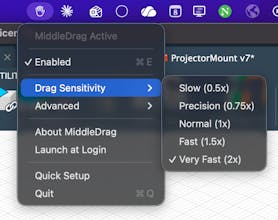
Professional 3D software expects middle-mouse-button navigation. MacBook trackpads don't have one. For years, CAD users on Mac have been forced to either carry an external mouse, use awkward four-key modifier combinations, or fight with unreliable workarounds. Forum threads dating back to 2017 are filled with users pleading for a solution. MiddleDrag fixes this. Three-finger tap for middle-click. Three-finger drag for middle-drag. Works alongside Mission Control and other system gestures.

Free
Launch Team / Built With


Vy - Cross platform AI agent — AI agent that uses your computer, cross platform, no APIs
AI agent that uses your computer, cross platform, no APIs
Promoted

Maker
📌Report