
Launching today

Meva
The professional markdown reader for the AI era.
1 follower
The professional markdown reader for the AI era.
1 follower
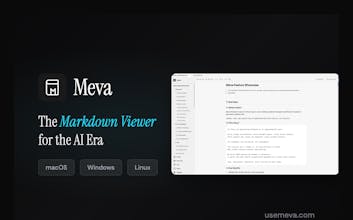
AI tools generate more documentation than ever, but reading it is still clunky. Raw markdown, weak previews, copy-pasting, and browser tab overload break focus. Meva is a fast, native markdown viewer built for the AI era. It renders AI-generated docs with beautiful LaTeX, Mermaid diagrams, and syntax highlighting. Privacy-first and lightweight, it offers 12 themes, reading-optimized typography, table of contents, collapsible code blocks, progress tracking, and full keyboard navigation.



Thanks for checking out Meva!
We built a markdown viewer specifically for people who work with AI tools like Claude, ChatGPT, and Cursor.
The problem we are trying to solve:
As we work with AI tools, we constantly generate markdown files, including code explanations, technical designs, architecture docs, and API specs, but we do not have a good way to read them. VS Code’s preview pane competes for screen space. Most markdown apps focus on editing when we only want to read. And none of them update live when an AI tool streams output to a file.
What Meva does:
Native app — blazingly fast and lightweight < 15MB
Live file watching — point it at a file and it updates in real-time as content changes
Renders LaTeX math, Mermaid diagrams, syntax-highlighted code blocks
Folder navigation — open a directory and browse all your .md files in one place
Keyboard-first — quick open, navigation shortcuts, minimal mouse required
Privacy-first by design:
100% offline after download
No accounts required
No cloud sync
No analytics or telemetry
Your files never leave your device
What it doesn't do:
No editing. It's a viewer, not an editor. We wanted it to do one thing well.
Free to try, one-time purchase for full version. No subscription.
Cross platform app - available for Mac, Windows and Linux.
Download today from at usemeva.com.
Would love feedback from the community — what's missing? What would make this more useful for your workflow?