Launching today

Llama Windows
One local AI server for all your Windows apps
98 followers
One local AI server for all your Windows apps
98 followers
Llama Windows brings llama.cpp to the Windows 11 system tray. Download open models from Hugging Face in one click, chat via Alt+Space, and let coding agents, editors and scripts share a local OpenAI-compatible API and model cache. Free and open source.


Free
Launch Team

Framer AI AgentsDesign and publish professional sites with AI
Promoted
Hi everyone!
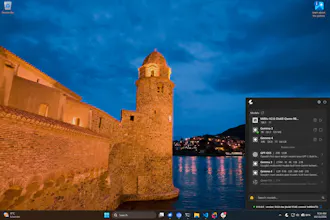
The llama.cpp team and @Hugging Face have brought Llama to Win 11. It lives in your system tray, recommends models that fit your PC, and handles running llama.cpp for you.
Press Alt+Space to chat with a local model from anywhere.
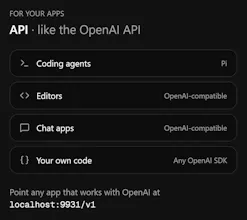
Your other apps can use it too. Point a coding agent, editor or script at localhost:9931/v1, and they all share the same local OpenAI-compatible server. Models stay in the usual Hugging Face cache, so you don't need separate 20GB downloads for every app.
No terminal, no admin rights, and no cloud inference. It's free and open source!
Running Llama locally on Windows removes the dependency on cloud APIs for AI tasks. Privacy-first, no token limits, and full control over your model. Perfect for teams working with sensitive data or running inference-heavy workflows offline. The local server approach is much cleaner than scattered client-side LLM wrappers.
Love that one shared local server means every app reuses the same model cache instead of each bundling its own 20GB download.