KeyOpera
Play satisfying sound on every keystroke
66 followers
Play satisfying sound on every keystroke
66 followers
Transform your Mac typing experience with the satisfying clicks and clacks of a mechanical keyboard.
This is the 2nd launch from KeyOpera. View more
KeyOpera 2.0
Launching today
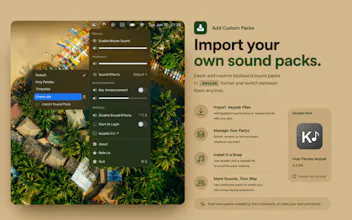
KeyOpera adds satisfying keyboard and mouse sounds to your Mac. V2 introduces custom .keypak sound packs, one-click Finder installs, a Homebrew CLI for creating and controlling packs, spoken key names, improved VoiceOver support, and a redesigned menu.


Payment Required
Launch Team

the Input Monitoring permission is the part that'd give me pause before installing this on a work machine - that entitlement can technically see every keystroke system wide, passwords included, even if KeyOpera itself only cares about timing. is there anything like an open source core or a network monitor log people can check to verify nothing's actually being read or sent anywhere?
@omri_ben_shoham1 I’d acknowledge the concern directly rather than dismissing it:
That’s a completely reasonable concern, especially on a work machine.
Input Monitoring is a powerful macOS permission and, technically, any app granted that access could observe system-wide keystrokes. KeyOpera only reacts to key-down events to play the selected sound; it does not record, store, reconstruct, or transmit what you type.
The app is sandboxed, has no network functionality, runs fully offline, and contains no telemetry or keystroke-logging mechanism. Nothing is sent to a server because KeyOpera does not make network connections.
There isn’t an open-source core or public audit log available today, so I understand that this still requires some trust. You can also verify its offline behavior with a network monitor such as Little Snitch or LuLu while using it.
I appreciate you raising this—permission transparency is especially important for an app like this.
Love the clicky feedback on my M1 MacBook, feels way more satisfying than the butterfly keys I came from. One thing that would push it over the top for me: per-app sound profiles, so I could mute the clack in Slack and Zoom while keeping it loud for coding in VS Code. Keep up the great work.
@vedat2091990 Thank you! I’m really glad KeyOpera is making your MacBook feel more satisfying to type on.
Per-app sound profiles are a great idea, being able to mute KeyOpera automatically in apps like Slack and Zoom while keeping it active for coding would make it much more practical throughout the day.
This feature is already planned, and I’m aiming to add it in an upcoming update. Thanks for the thoughtful suggestion and support!
Finally got that real keyboard feel on my MacBook without buying extra hardware. The sound is oddly satisfying during long writing sessions.
@dtanta24444 Here’s a more natural version that mentions this was exactly the intention behind KeyOpera:
Thank you! That was exactly the intention behind KeyOpera—to bring a more satisfying, tactile keyboard feel to the MacBook without needing extra hardware.
I’m really glad it makes long writing sessions more enjoyable. With Version 2, you can also explore different sound packs, switch between styles depending on your mood, or create and import your own custom .keypak packs.
Thanks for the support, and happy typing!