Hey Product Hunt! 👋
I'm excited to share Keymap, a small Mac utility I built for people who live on keyboard shortcuts.
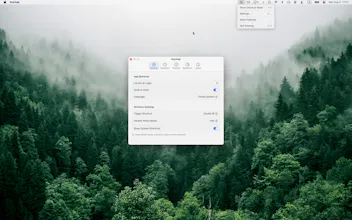
Double-press ⌘ anywhere on your Mac and Keymap shows the shortcuts for the app you're currently using.
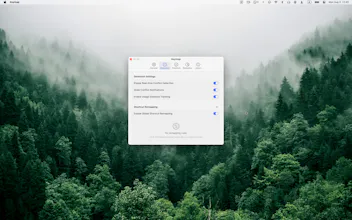
You can search shortcuts, detect conflicts, and remap keys — all without leaving your workflow.
It's fully local, requires no account, and has no telemetry.
I'd love to hear your feedback and learn how you use keyboard shortcuts on your Mac! 🚀
Report
I love that it shows conflicting shortcuts too! Does it work across most common apps?
Thanks! Yes — conflicts are checked against each app's actual menus plus your own remaps, so it works across any Mac app, common or obscure.
Report
Hey David. It reads shortcuts straight from the app's own menus rather than a hand-built database, presumably, given it works for "the app you're using" generally. Does that mean it just works on any Mac app out of the box, or did you have to add support app by app?
Exactly right, good guess! Keymap reads shortcuts live from each app's own menu bar via macOS's Accessibility API — there's no hand-built database, and no per-app support was added. That's why it works out of the box with anything: Safari, VS Code, Figma, or a random app you downloaded today. Nice side effect: when an app updates its menus, Keymap always reflects the current shortcuts. (The flip side of that platform approach: shortcuts apps don't expose in their menus — like global hotkeys or IME bindings — aren't visible to any app, so those stay out of scope.)
Keymap
I love that it shows conflicting shortcuts too! Does it work across most common apps?
Keymap
@ryanwrites
Thanks! Yes — conflicts are checked against each app's actual menus plus your own remaps, so it works across any Mac app, common or obscure.
Keymap
@charlie_titherley
Exactly right, good guess! Keymap reads shortcuts live from each app's own menu bar via macOS's Accessibility API — there's no hand-built database, and no per-app support was added. That's why it works out of the box with anything: Safari, VS Code, Figma, or a random app you downloaded today. Nice side effect: when an app updates its menus, Keymap always reflects the current shortcuts. (The flip side of that platform approach: shortcuts apps don't expose in their menus — like global hotkeys or IME bindings — aren't visible to any app, so those stay out of scope.)