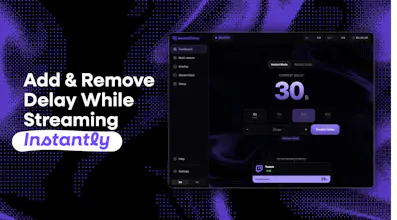
Streamers shouldn’t have to restart their stream just to change delay. InstantDelay lets OBS & Streamlabs streamers: Add, Remove, or Adjust stream delay while already live. Built for competitive streamers, tournaments, subathons, and multi-streaming, with Instant Mode, Overlay Mode, custom overlays, hotkeys, and Stream Deck support.
I’m Lyp, a streamer and creator, and I built InstantDelay because fixed stream delay is still one of the most frustrating parts of streaming competitive games.
Delay is useful when you need protection against stream sniping, ghosting, or unfair information sharing. But the second you want to talk with chat, take a break, review a game, or switch to a more interactive segment, that same delay becomes a problem.
Until now, streamers usually had to choose before going live:
1. Use delay for the whole stream and lose real-time interaction. 2. Stream with no delay and accept the risk. 3. Restart the stream or use complicated workarounds.
InstantDelay makes delay flexible.
It works as a desktop app and RTMP bridge between OBS / Streamlabs and your streaming platform, so you can add, remove, or adjust delay while you are already live.
There are two main modes:
Instant Mode: Change delay immediately.
Overlay Mode: Show viewers a custom overlay while the delay switches, so the transition feels clean and understandable.
It also supports multi-stream workflows, custom OBS overlays, Stream Deck actions, and hotkeys.
InstantDelay is already used by thousands of streamers, from competitive players to casters, tournament organizers, and larger creators.
The goal is simple: give streamers more control without restarting OBS, ending the stream, or making the setup complicated.
There is a 30-day free trial, and I’d love feedback from streamers, casters, tournament organizers, and anyone doing live production.
@thamibenjelloun It works with Twitch, YouTube, Kick, TikTok, and custom RTMP destinations, and it also supports multi-streaming.
For audio/video quality, InstantDelay only acts as an RTMP bridge. We never re-encode or transcode the stream. We only adjust the RTMP timestamps/buffer, so the audio and video stay exactly the same as what OBS sends (even if there is multiple audio tracks).
@aditya_kalkotwar OBS is basically fixed, and all solutions like upstream use all your RAM to literally record in real time X last seconds, which destroy your performances and it's very laggy to use!




InstantDelay
Hey Product Hunt 👋
I’m Lyp, a streamer and creator, and I built InstantDelay because fixed stream delay is still one of the most frustrating parts of streaming competitive games.
Delay is useful when you need protection against stream sniping, ghosting, or unfair information sharing. But the second you want to talk with chat, take a break, review a game, or switch to a more interactive segment, that same delay becomes a problem.
Until now, streamers usually had to choose before going live:
1. Use delay for the whole stream and lose real-time interaction.
2. Stream with no delay and accept the risk.
3. Restart the stream or use complicated workarounds.
InstantDelay makes delay flexible.
It works as a desktop app and RTMP bridge between OBS / Streamlabs and your streaming platform, so you can add, remove, or adjust delay while you are already live.
There are two main modes:
Instant Mode: Change delay immediately.
Overlay Mode: Show viewers a custom overlay while the delay switches, so the transition feels clean and understandable.
It also supports multi-stream workflows, custom OBS overlays, Stream Deck actions, and hotkeys.
InstantDelay is already used by thousands of streamers, from competitive players to casters, tournament organizers, and larger creators.
The goal is simple: give streamers more control without restarting OBS, ending the stream, or making the setup complicated.
There is a 30-day free trial, and I’d love feedback from streamers, casters, tournament organizers, and anyone doing live production.
Website: https://instant-delay.com
Releases: https://github.com/Lypningeuh/In...
Discord: https://discord.gg/byHVXj8Yv7
My Twitch: https://www.twitch.tv/lypning
Mailwarm
Does it work reliably across Twitch and YouTube, and how do you keep audio and video in sync when switching?
InstantDelay
@thamibenjelloun It works with Twitch, YouTube, Kick, TikTok, and custom RTMP destinations, and it also supports multi-streaming.
For audio/video quality, InstantDelay only acts as an RTMP bridge. We never re-encode or transcode the stream. We only adjust the RTMP timestamps/buffer, so the audio and video stay exactly the same as what OBS sends (even if there is multiple audio tracks).
Been looking for something like
this. Curious how it compares to
OBS and upstream .
InstantDelay
@aditya_kalkotwar OBS is basically fixed, and all solutions like upstream use all your RAM to literally record in real time X last seconds, which destroy your performances and it's very laggy to use!