Icon Resizer for Figma

Icon Resizer for Figma

Quickly create sets of icon components of the required size

10 followers

Save tons of time on quickly generating icon sets in different sizes for your project, and don't waste time overriding colors within an instance when changing icons.
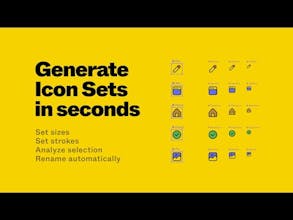
Icon Resizer for Figma gallery image
Free
Launch Team / Built With
Wispr Flow: Dictation That Works Everywhere
Stop typing. Start speaking. 4x faster.
Promoted

What do you think? …

Sergei Vaskov
Icon Resizer saves you time in properly preparing icons for use in your design in the following ways: - Quickly add/remove icon dimensions; - Ability to generate both individual icons and a grid of variants; - Set stroke thickness to frame the size of the icon if it uses outlines; - You have a root icon component that allows you to make changes in only one place to edit the entire set; - Quickly rename icon components using variables. PRO FEATURES : - Preserving the fill color when changing instances of different icons. Now you don't have to re-set the color for an icon every time. This is achieved through proper automatic organization of layers; - Analysis of icons for correct structure matching and quick selection; - Automatic cleaning of unnecessary nesting within the icon frame. BUY PRO↗ [https://2473925136181.gumroad.co...] HOW TO USE? 1. Select one or more icons you want to generate; 2. Enter a name for the set to be generated (use variables to pass dimensionality values or the original name, this will apply according to the frame size); 3. Select the type of generation. As individual components or as a variants set; 4. Set the desired icon sizes and stroke thickness if needed; 5. Click the "Generate" button. SEE GUIDE↗ [https://linky.design/icon-resize...]