Launching today

Haptiker
Volume, brightness and keyboard light on your trackpad edges
36 followers
Volume, brightness and keyboard light on your trackpad edges
36 followers
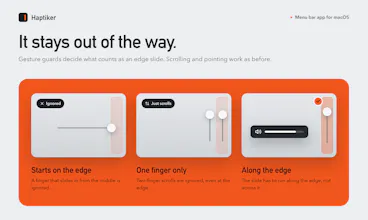
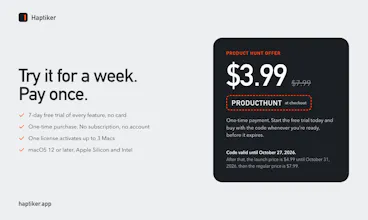
Haptiker turns the edges of your Mac trackpad into sliders. Right edge: volume. Left: display brightness, external monitors too on Apple Silicon. Top: keyboard light. Haptic ticks, and scrolling works as before. 7-day free trial, then one payment.



@perlat_kociaj This is so cool! re: question #3 - Would love to use bottom edge to switch apps (cmd+tab functionality).
@jaclyn_iul Thank you so much!
This is a brilliant idea. Will add this in the roadmap.
@jaclyn_iul
Thank you for the idea! credits to you!
This feature is now live on version v1.1.
- double tap the bottom edge to show an App Switcher and you can use the trackpad to scroll and open the desired app, WITH a very nice haptic feedback!!
Would be grateful if you try and provide some honest feedback!
Perlat
@perlat_kociaj Wow, amazing!!!
Small thing, but it solves a real daily annoyance. Reaching for the keys just to change the volume gets old. Does it work with a Magic Trackpad too?
@nrupen_mandava
Yep, works on the Magic Trackpad too, plus any MacBook with a Force Touch trackpad. If you've got an external monitor on an Apple Silicon Mac, the left edge also controls that screen's brightness. It follows whichever display your cursor is on. That one's saved me from digging through monitor buttons more times than I can count.
The haptic ticks are a nice detail. Having some physical feedback while changing the volume or brightness should make the control feel more natural.
Using the trackpad edges for volume and brightness is actually a pretty clever idea. It seems like one of those small things that could become a habit quickly.
Thank you@tom_nick1 !
Same thing happened to me. I made it for myself and pretty soon I was swiping the edge without thinking about it. There's a little haptic tick on each step too, so you can feel where the volume is without looking same for the brightness.
Curious how fast it sticks for you if you give it a go on the free trial.
Thanks,
Perlat