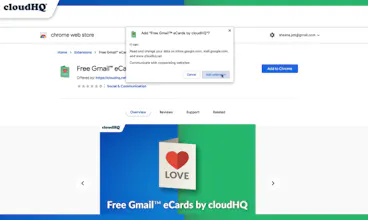
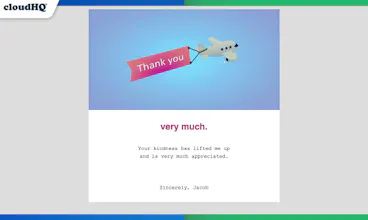
Now, your eCard recipient won't need to go to another website to claim their ecard, and it won't get lost in their spam folder, either. You'll be able to create your eCard without leaving Gmail, and your eCard recipient will receive it directly in their email!
@kensavage Great idea, Ken! 🌟
We're very open to 3rd party designs! Out of curiosity, what kind of designs do you think are lacking?
Report
Hello @nassaraf cool chrome plugin. I thought ecards were obsolete because of those damn popups and malware websites years back. It's so refreshing to see a noble idea being implemented into a platform like gmail and for free. My only question is, what's the deliverability like? I'm assuming gmail filters won't pick this up a mark it as spam more often than my regular emails?
@basicbonsai Thanks Nancy! 🥰 Yes! the the eCard greeting industry was obsolete for so many reasons. The user experience was so lacklustre. To send and eCard was cumbersome, and when the eCard receiver doesn't even open it, all that effort went to waste. And it wasn't their fault because they didn't even know they had one! It just seems like it was really optimized for paid eCards, and even then, the system was broken. I'm glad our team is changing it just in time for the holidays, and to clearly answer your question: Gmail filters won't mark it as spam any different than your regular emails because it's being sent by an actual person, not a website ecard service. ✨
Hi 👋 Hunters!
We are very excited to debut our new product: Free Gmail eCards by cloudHQ.
⛔ Problem:
Most eCard senders are saddened to find out that their eCards are often never even opened by the recipient.
Too often, ecards are found in spam folders with gibberish subject titles, where email recipients have to open their email only to find an access code to view their eCard on another website.
We think that system is broken. So we fixed it.
✅ Solution:
With Free Gmail eCards by cloudHQ, your email recipient won't need to go to any other website to claim their eCard, and it won't get lost in their spam folder, either.
You'll be able to create your ecard directly within Gmail, and your ecard recipient will be able to receive it right within their email too—where their email can be any email address, not just Gmail.
Here's how it works:
1. Install the extension
2. Open your Gmail and start composing an email
3. Select your eCard
4. Edit the message
5. Hit Send!
Special Features:
✔️ No third party website to visit—works right within Gmail
✔️ Cute GIFs in your eCards
✔️ 100s of eCards for every occasion, every event, and every holiday
✔️ New eCards added every week
✔️ Express emotions on world events, holidays and occasions
✔️ Best eCard system to actually get received!
cloudHQ. Helping your productivity, 1 click at a time.
*Press release coming shortly*
Report
Great product to ease those mounting events to remember! Especially nice that it tries to keep it out of the Spam folder, where many other pleasantries like this sometimes end up. :)
Local Lead Game
MailKing by cloudHQ
MailKing by cloudHQ
MailKing by cloudHQ
MailKing by cloudHQ
MailKing by cloudHQ
MailKing by cloudHQ
HireClub
MailKing by cloudHQ