Flixier
AI video generation, inside the timeline.
4.4•75 reviews•527 followers
AI video generation, inside the timeline.
4.4•75 reviews•527 followers
Flixier is where AI clips turn into finished videos. Generate, extend, connect, and polish visuals directly in your timeline, then add voice, captions, and enhancements without switching tools.
This is the 5th launch from Flixier. View more

Flixier Generate AI Video in Timeline
Launched this week
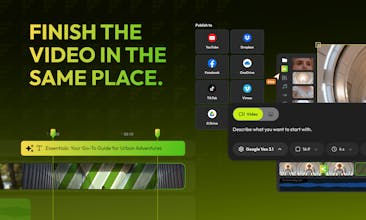
Most AI video tools stop at generation. Flixier brings AI into the editing timeline, so you can generate, extend, and connect clips, trim, polish and finish videos in one place, without exporting or rebuilding elsewhere.


Free Options
Launch Team


Hello Product Hunt 👋
AI video generation is everywhere right now: New models, better outputs, faster generation cycles.
But most of these tools are built around a single moment: the clip.
You generate something impressive… and that’s where the product ends.
There’s no real place to keep building. No continuity. No timeline where the video actually comes together.
If you want to turn that output into something publishable, you have to export it and start assembling the rest elsewhere.
We think that’s backwards.
Videos aren’t one-shot results. They’re built through iteration, extension, and connection between clips. That only works if AI lives inside the timeline
So we moved generation into the editor itself.
In Flixier, you can generate, extend, and connect clips directly inside a real timeline, then shape, add context, and finish the video without restarting the workflow.
AI clips are easy. Finishing videos is the hard part.
Give it a try and let me know if building inside the timeline feels different from the usual generate–export–rebuild loop.
Paul
Co-founder, Flixier
Questo
@pruscior congrats!
@sebastian_maraloiu thanks, happy to share this with the PH community.
@pruscior What happens to downstream edits if you regenerate an extended or connected clip in Flixier after you've already trimmed the timeline? Generate from any frame is powerful, but it only stays usable if the prompt, reference frame, and model version stay attached to each clip. A quick compare between takes would make iteration feel safe.
@piroune_balachandran By generating or extending a clip, downstream edits within the same track get pushed by the duration of the generated clip. The clip is added as a new element, so you can also move it somewhere else in the timeline. To answer the second question, yes, when generating, we always keep the prompt, frame, and model together so you can create new versions with slight variations. And yes, the compare clips make a lot of sense; we will consider it for future versions. Thank you!
@pruscior Congrats on the launch. Can this batch-generate campaign variants from a storyboard?
How do you maintain stylistic consistency across 100 generated videos?
@pruscior Hi Paul - this framing makes a lot of sense. Generating a clip is impressive, but finishing a real video is where most workflows break. Moving AI directly into the timeline feels like the right direction.
Iteration and continuity are what actually make content publishable.
I’m building Ahsk, a macOS AI assistant focused on helping creators stay in flow while working. Would love to connect and exchange feedback.
UserGuiding
Love it!
@osman_kocs that’s great to hear!
Audience First - Handbook
Good luck on your launch Flixier team!
@levent_askan Thank you, and we are excited to get this in front of the PH community. Bringing AI video generation directly into the timeline felt like the right next step.
proud to be a part of this launch! it's the only AI video generation tool that allows its users to generate, extend and connect AI clips without leaving their timeline.
big kudos to the dev team!
As someone who actually posts regularly, the “AI clip graveyard” is real.
You generate 10 things. Maybe 2 are good. But stitching them into something coherent usually means switching tools, exporting everything, and basically starting again. That break in flow almost always crushes my momentum.
What’s genuinely changed for me with the new timeline-based generation setup is that I don’t have to leave. I can test ideas across different models, pull the best clips straight into a real editing timeline, trim, re-sequence, add voice or text, and actually shape something into a finished piece. All without having a hundred tabs open.
It sounds small, but it makes me far more willing to experiment! Because I know the outputs won’t just sit in a folder. They can actually become a video.
That’s been the practical shift for me.
That fear of ending up with a folder full of almost-useful clips is exactly what we were trying to remove. We really wanted experimentation to feel safe, knowing you can actually turn it into a finished video.
Thank you @cam_strive , for putting this into words so clearly.
Flixier
Loving the new AI generation updates directly into the timeline! 🚀
@cretueusebiu really glad to hear that!
Competitors App
Improve, improve, improve ... Nice
@razvan_girmacea1 Thanks a lot for supporting us since the early days!!!