
Launched this week
Flato
AI designer that creates and edits with you — on one canvas.
119 followers
AI designer that creates and edits with you — on one canvas.
119 followers
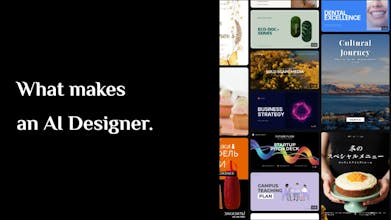
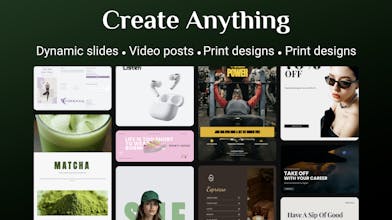
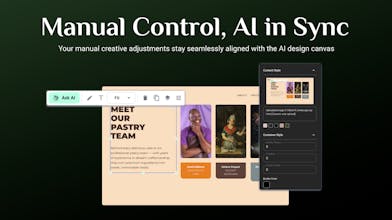
Flato is an AI designer native to the canvas. It sees what you see — understanding layout, hierarchy, and visual structure in real time — and edits alongside you with fully editable elements. From layout to motion to video, everything exists as one continuous system on a single canvas.


Hi @taoef
First off, this tool has completely transformed how I create content for my brand: the design-to-animate flow is so seamless, I’ve cut my workflow time in half. But I’ve hit a few small snags that would take it from “amazing” to “indispensable,” and I’m curious if these are on the roadmap:
Will we ever be able to import custom fonts directly into the canvas? I work with brand-specific typography that’s not in the default library, and exporting then reworking text styles feels clunky and disrupts my creative flow.
My team and I loved collaborating on dynamic presentation slides, but version control for animations was tricky—multiple people editing timing/effects made it hard to track changes or revert if needed. Any plans for real-time cursor sharing or a dedicated “motion edit history log”?
The GIF quality feels compressed compared to the original design (not sure). Clients always ask for crisp GIFs, so I’d love to skip third-party tools—will future updates let us adjust compression settings or export high-res GIFs?
The AI co-design feature is awesome for social posts, but it sometimes misses my brand’s tone (e.g., too flashy for my minimalist aesthetic). Would you consider adding a “brand style preset” option where we can save color palettes, animation speed limits, or design rules? It would make AI suggestions way more aligned with consistent branding.
Overall, Flato is already my go-to, but these tweaks would make it irreplaceable for both personal and client work. Thanks for building such a thoughtful tool—can’t wait to see where it goes next!
@augustlllll Thanks for the thoughtful feedback — really appreciate you taking the time to write this!
1. Custom fonts
We don’t support direct font uploads yet. You can try mentioning the font name in the prompt and the agent may locate it automatically, but proper custom font support is something we’re considering adding.
2. Team collaboration
Right now projects can be shared via link for others to continue editing, but it’s not real-time collaboration yet. Flato currently focuses more on human–AI collaboration, though stronger team collaboration is definitely on our radar.
3. GIF export
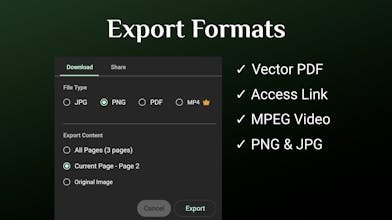
You can export MPEG video now (which keeps better quality) and convert it to GIF if needed. We’re looking at improving export options.
4. Brand style alignment
This is something we’re actively working on — the idea is to let Flato follow brand guidelines (colors, typography, motion style) so AI suggestions stay on-brand.
Really appreciate the feedback — this kind of input helps shape the roadmap!
Just tried Flato to do a simple task, here was my experience:
The landing page has too many elements that it takes away from the main CTA - which would be to edit the canvas or begin with a template. My mind wandered when I saw the left sidebar that early, then I had to decide if I should start with a new canvas or look at more of the images in the grid. There were multiple minor decisions I had to make, which should be simplified so that when I get on the page I am funneled into
1. Create a new Design or
2. Start from an existing design
This just needs to simplified, you have all of the pieces.
I began with a new canvas, and tried to animate my logo to have some movement - something that is shown in one of your videos so I assumed there was a setting that would allow for that. I imported my logo as an svg, prompted to do a simple animation to animate each of the letters separately in the clearest way I could think, and your AI thought about it - but eventually it ended up deleting my .svg and showing that the video was made. Perhaps my prompt was not clear enough, but I think a good solution for this would be to have some presets that new users could try to get started and familiarized with this new process.
I see the vision and I am excited for this product. It just needs some handholding UI features for user that are new to this process, like myself.
@mason_mcintosh Thanks for the detailed feedback — this is super helpful.
You’re absolutely right about the onboarding flow. We’re already thinking about simplifying the first screen so users can jump straight into “create a new design” or “start from a template.”
About the logo animation: Flato actually has a few different ways to animate a logo. In your case it chose to generate a video animation, which honestly wasn’t the best choice 🙂. My guess is the SVG path might have been a bit complex, so the agent decided it couldn’t reliably animate the internal elements.
When the SVG structure is simpler, it can usually animate the whole logo directly. I just tried uploading another SVG and it used a simple overall motion animation instead. Animating individual elements inside an SVG is still a bit challenging for the agent right now.
You raised a very professional point though — this is exactly the kind of case we need to improve. Really appreciate you trying Flato and sharing this!
@murad_hoque That’s a great observation — editing the AI output is exactly the problem we’re trying to solve with the canvas approach.
Right now, Flato is mainly focused on human–AI collaboration, making it easy for a single creator to iterate and refine designs directly on the canvas.
In future versions, we’re definitely planning to expand into stronger human–human collaboration as well — especially for teams and brand management. The goal is to help everyone in a team create designs that stay brand-aligned, even when multiple people are contributing.
Really appreciate the question!
As someone who makes posters, presentations, and social content almost every day, Canva AI has been hit or miss for me. I love that Flato is built by a designer who actually gets the process.
The part about iterating on a canvas like a real designer sounds game-changing.
Does it support custom brand colors/fonts strictly? And can you really make motion graphics and videos all in the same canvas without switching apps?
@xiaoxue_bu Thanks for the thoughtful comment — really appreciate it! As a designer myself, that’s exactly why I wanted to build Flato this way.
For brand control, yes — you can simply drag your logo onto the canvas and Flato will automatically extract the brand colors from it. You can also specify things directly in the prompt, for example:
“Create a poster with primary color #FF8687 and font Philosopher.”
And about motion: absolutely. You can first create a text layout or poster on the canvas, then just tell Flato something like:
“Animate it with a type-in effect.”
It will turn the static design into motion right on the same canvas — no need to switch tools.
Would love to hear how it fits into your daily poster or social workflow if you give it a try!
Congrats on the launch! AI design tools are evolving quickly and this canvas-first direction is refreshing. What kind of users are you seeing most interested in so far — designers, marketers, or founders?
@leo_jojii Thanks! Our main target users are marketers and social media creators (like Instagram creators) who may not have strong design skills but still have high expectations for visual quality.
Interestingly, we’ve also seen quite a few designers enjoying Flato, which was a bit unexpected for us. My guess is that it helps speed up things like layout exploration and early design drafts, saving time in the creative process.
Congrats on the launch!
Really interesting approach. Most AI design tools generate assets, but building directly inside a canvas workflow feels much more natural for designers. Curious — is Flato meant more for quick ideation or could teams realistically use it for full design projects?
@ggange Thanks! Great question.
Flato is actually designed for end-to-end creation of finished designs, not just ideation. You can start with AI to explore layouts or concepts, then keep refining and editing directly on the same canvas until it’s ready to publish.
Many people use it today for slides, social posts, and visual content, but the goal is for Flato to handle the whole workflow from idea to final output.