
DropK - Clipboard and Shelf.
The tray that doesn't pretend
89 followers
The tray that doesn't pretend
89 followers
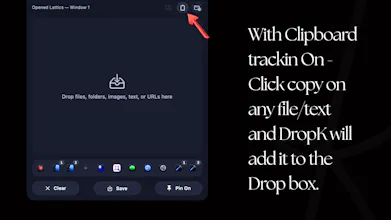
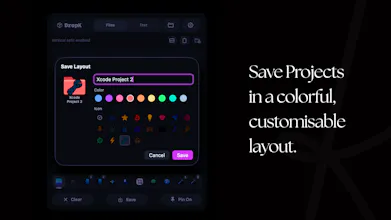
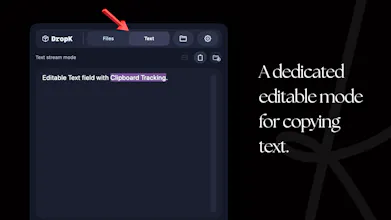
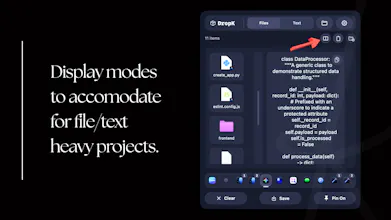
Text, files, images, folders - all in a single drop zone you drag into and pull out of naturally. It's the landing spot for "the messy middle of Mac work." and it can still keep tracking your clipboard. When on a project, clear your slate, work through everything, and DropK will have all related copied files/text ready and neatly arranged. It doesn't duplicate your files, opening files, text, all happen through saved paths, not duplicates. That's a genuinely missing link from all apps out there.
Interactive



Payment Required
Launch Team / Built With


EneyProactive AI for Mac. Free test, 20,000 credits.
Promoted
EQK 3.0
Reference-by-path instead of copying bytes is the design choice I like most here, and also the one I'd stress-test hardest. When we built a paste buffer that held file paths rather than the files, the thing that bit us was the source moving or getting renamed after you'd dropped it in, so the tray entry quietly pointed at nothing. Do you watch the original paths and re-link on move, or does a dropped item go stale once the file relocates?
EQK 3.0
@dipankar_sarkar Watching the movement of the apps beyond what was made already accessible at the time of the move is beyond the scope of the permissions this app can attain.
Same volume move (e.g. you rename a folder, or drag a file to a subfolder, all on your Mac's main drive) — macOS bookmarks track by inode, not path. The file resolves correctly regardless of where it moved. The location of the app/certain recorded properties do not change but this only cosmetic. The app uses various markers at the time of drop to identify/reference a file and on move the app retains what file it is tracking not what a path is pointing to.
Tencent RTC
DropK being listed across Menu Bar Apps, Developer Tools, and AI Workflow Automation makes me wonder where the main daily use case sits. Is it primarily meant for developers triggering quick actions from the tray, or more of a general productivity layer for AI dictation / workflow shortcuts? The tagline suggests restraint, so I’d be interested in how you decide what belongs in the tray and what deliberately doesn’t.
EQK 3.0
@mia_qiao Everything does belong in the tray, the tagline refers to our capacity at including features that are Useful rather than features to sweep you off your feet, we want users to be blown away by the increase in their workflow our app brings, and the convenience our app makes it to arrange projects/your session's copy history
Your first question is a Marketing challenge for DropK so we made the decision purely to "associate" DropK to a community. Developer Tools wasn't to show my apps development capacities but a nudge to developers to try this app and boost their productivity like me and many of my friends.
EQK 3.0
@tomer_e Thank you for your encouragement. The trays do get saved at the user selected location but persistent access to the folder is beyond the scope of this app currently. The user needs to save the file/select the default folder at least once at every app restart. This can both be a convenience and slight inconvenience based on how many times the app is completely quit.
Inode-based bookmarks are the right call, and that handles the rename and move case cleanly. The one that bit us with security-scoped bookmarks was atomic saves: an editor that writes a temp file and renames it over the original creates a new inode, so the path is unchanged but the bookmark now points at the old, deleted inode and the entry silently orphans. Do you re-resolve and refresh the bookmark on access, or would a safe-save app break the reference?
EQK 3.0
@dipankar_sarkar Every access event has a fallback to trying the file path if the bookmark finds a dead innode. In case this file has also been moved from its original path the app now has no way to access the file again.
Aakashdhruv, the messy middle of a project is exactly where my desktop falls apart, so one tidy spot for all the loose bits really speaks to me. Pointing back to the real files and never cloning them is a thoughtful touch.
EQK 3.0
@benjamin_riou Thank you so much, I’m really glad you can relate to the vision of this app.
RollBot
Congrats on the launch, seems like this could be really useful on those messy projects.
EQK 3.0
@tedavis It definitely will! Please leave your suggestions as reviews are our greatest input since we do not collect usage data.