
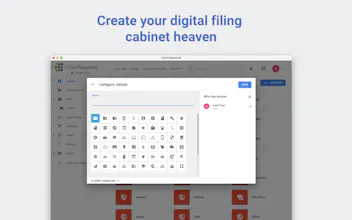
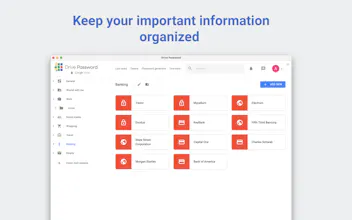
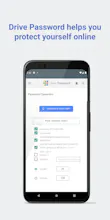
Password manager that encrypts all your sensitive data and stores it in your Google Drive. You retain complete control over your data and know where it is stored. Familiar design and powerful team sharing features make it perfect fit for Google users.






Hey guys! I see that all my data will be saved in my Google Drive, but do you store a copy of it anywhere else? In case I accidentally delete the files from my Google Drive - what happens?
Report

Maker
@m_manchev
Hey, thanks for the question! No, your data is only stored within your Google Drive. It is locally encrypted on your device and then stored. Well, if you delete the encrypted files from your Google Drive you will lose your passwords.
I know it might sound a bit scary, but we want to give the user full control over their data and it is their responsibility to not delete it.
We are currently developing a feature with which the user will be able to backup themselves all their passwords.
Report

@stanislav_dim could I successfully back up the encrypted files with my current back up provider, spanning.com?
Report
Maker
@gary_elley Hey, thanks for the question! At the moment not, but it is in the roadmap :)
Report

I read through the docs. I guess a couple of things that stand out to me is 1) I don't see any autofill feature like is available in most password managers. 2) Using Google's built in smart Lock password manager technically also already has 2x protection if you set a sync passphrase. 3) Why not just store a KeePassXC database in Google Drive? That would also have the 2x protection mentioned plus a lot more features.
Report
Maker
@tom_snyder Thanks for the questions! 1. Autofill is in our roadmap and will be present soon. 3. You can do it, although it is not really convenient especially if you are using iPhone or an iPad.
Report

 Becoming SuperHuman - Robb Wolf
@tom_snyder @stanislav_dim +1 - until autofill is available unfortunately this is a no go for us!
Report
Maker
@tom_snyder @entreprenewer Yeah, totally understandable. We will do our best to implement it real soon!
Report
Becoming SuperHuman - Robb Wolf@tom_snyder @stanislav_dim Any news here?
Report
Maker
@tom_snyder @entreprenewer Not yet, but we are making steady progress in pushing Drive Password v.2 :)
Report

Happy to see that it is official! I have been a beta tester for couple of months already and can assure you the product is top notch!
Report

@new_user_1845686897 so why should use it instead of Enpass?)
Report
@mikekosulin I switched from Enpass to Drive Password when I started beta testing and will not go back. :)
One of the reasons is the sharing with teams and individual - it is very flexible.
One thing that I’missing is the dark mode, but I hope they will implement it soon :)
Report

 Night Eye
Maker
@mikekosulin @new_user_1845686897 We have it in our roadmap! We love dark mode as well!
Report

@new_user_1845686897 That's awesome to hear. One question that is interesting - how did you find out about their beta testing?
Report
@ranl Reddit
Report

As a Google fan, I’m interested in trying this out! Do you guys support import from other passwords managers?
Report
Maker
@kstoykov Hey, yeah we support import from most of the popular password managers. If you don't see your in the list, reach out and we will try to add it as an option as soon as possible!
Report

@kstoykov @stanislav_dim Hello everyone, can i import from a excel or csv file?
Report

Congrats on the launch guys, it is obvious that you put heart and soul in this for developing it that long. I’ll give it a try and get back to you. Is there I can contact you with direct feedback?
Report
Maker
@kishminish Hey, thanks! Yeah, it has been year and a half under development! We are eager for you to try and get back to us with constructive feedback! You can use the built-in chat or the chat widget on our side.
Report

When I give permission to third party apps to my google drive would they have access to my passwords with this?
Report
Maker
@yochevedb Thanks for the question! They will have an access only to the encrypted files which look like this -  There is no chance anyone can to decrypt them and really access your sensitive data
There is no chance anyone can to decrypt them and really access your sensitive dataReport

I understand it works via Web/Desktop as well? Would be brilliant. Question though: is it open source? How can I trust no data is shared before storing the file on Drive?
Report
Maker
@consmast Yeah, there are macOS and Windows desktop apps, as well as web app. Nope, it is not open source. I guess there is no answer here that might be good enough. We are fully aware that people are, and should be, incredibly careful and cautions with their data. We've been building products for quite a while and slowly but surely build reputation of an honest small dev company.
Report
123
Next