Webflow | AI site builder — Start fast. Build right.
Start fast. Build right.
Promoted
Maker
📌
Hello everyone,
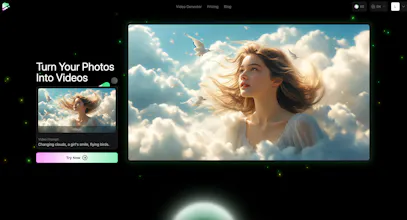
I'm thrilled to introduce you to Dream Machine AI, an AI-powered video generator I've been working on. With this advanced model, you can transform your photos into high-quality videos effortlessly.
Key features include:
- Incredibly Fast Generation: Produce 120 frames in just 120 seconds.
- Realistic and Consistent Motion: Enjoy seamless and highly realistic video content.
- High Character Consistency: Experience unparalleled character consistency and true-to-life physical characteristics.
- Natural Camera Movements: Immerse yourself in smooth, natural camera movements that capture the emotional essence of each scene.
I launched this a few weeks ago and the feedback has been amazing. You can check out the product just by visit: https://dreammachineai.online .
I'd love to hear your thoughts and am here to answer any questions you might have.
Report
Your home page says "Free trial for AI video generator" and after clicking "Free Trial" button and signing up, the page says "Upgrade now to turn photos into videos!" Where's the trial? How am I supposed to "try" it?
Bait & switch at the finest!
This sounds fascinating, @helloleo! I'm curious about the types of photos that work best with Dream Machine AI. Do you have any tips for users on optimizing their images for better video output? Also, what's your plan for future updates or features?
Report
Maker
@flowsz Thank you for your support. We provide the AI Prompt for users. They can use their word and enhance the prompt with AI provided by https://dreammachineai.online
Report
@helloleo Congratulations on the launch, Nice! Just support, I will try to recommend to my relatives hope they are happy 🙌
This is impressive, @helloleo! The speed of generation is really a game changer for video creators. I'm curious about the UX - how intuitive is the process for new users? Looking forward to seeing more updates from Dream Machine AI!
Hey,
I'm curious about the range of motion the AI can generate. Is it limited to subtle movements, or can it create more dynamic scenes?
How does it handle multiple subjects in a single photo? It would be great to see some before-and-after examples.
Congrats on the launch!
Report
Maker
@kyrylosilin Thank you. We will try to support the multiple movements in the future.
Telebugs