Launching today
Devtobox

Devtobox

Devtobox 🛠️ | The All-in-One Toolbox for Modern Developers

0 followers

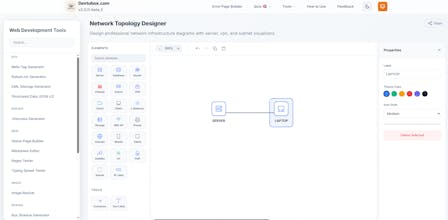
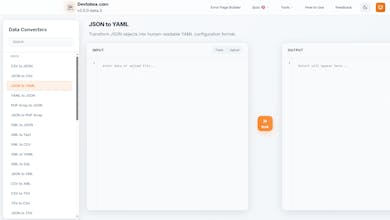
Stop searching for separate utilities. Devtobox provides 50+ free developer tools—converters, minifiers, formatters, and generators—in one fast, privacy-focused dashboard. 🚀

Devtobox gallery image
Free
Launch Team / Built With
AppSignal
AppSignal
Get the APM insights you need without enterprise price tags.
Promoted

What do you think? …

Ariful Islam
Maker
📌
1. What inspired you to build this? The inspiration likely came from the frustration of using existing "big" utility sites that have become bloated over time. Most popular developer tool sites today are cluttered with intrusive ads, pop-ups, and slow loading times. The goal was to create a "Zen-like" workspace for developers—a minimalist, professional-grade alternative that feels like a local desktop app but lives in the browser. The "v1.0.28" designation suggests a commitment to a clean, iterative versioning system similar to software engineering, rather than just a collection of web pages. 2. What problem were you trying to solve? There are three main "pain points" this site addresses: The Privacy Gap: Many developers are hesitant to paste sensitive data (like JSON strings containing customer info or proprietary code) into random websites because the data is often sent to a server for processing. Devtobox solves this by performing 100% client-side processing—the data never leaves the user's computer. Workflow Friction: Many sites require accounts, "pro" subscriptions for basic features, or have complex navigation. This site solves that by being free, open, and instant. Tool Fragmentation: Developers often have 20 tabs open for different tasks (a formatter, a minifier, a converter). Devtobox centralizes these into a single "toolbox" to streamline the daily workflow. 3. How did your approach or process evolve while working on this launch? Based on the current state of the site, the evolution likely followed this path: From Specific to General: The project likely started with a few core tools (like the Cloudflare Error Page Builder) and expanded as the creator realized that the "privacy-first" framework could be applied to dozens of other utilities. Focusing on Speed: The evolution probably shifted from "adding features" to "optimizing performance." Using client-side logic means the site stays fast even as more tools are added, because the server doesn't have to do the heavy lifting. User-Centric Design: Early versions might have been purely functional, but the current iteration shows a focus on UI/UX—adding things like "Copy to Clipboard" buttons, dark mode support, and a responsive layout that works as well on a mobile device as it does on a 27-inch monitor.