I use datapane to visualize mobile device performance data from automated UI tests.
Using modern python libraries like plotly and creating a web app with interactive charts using DataPane is the most straightforward, easy to use method you can choose.
Super simple to get started with, it has a very modular structure with all the basic building blocks for a data app you may think of. Very helpful to build and share interactive dashboards and visualizations, it works also on Medium!
Report
Congrats on the launch! Datapane is a pretty useful tool, especially for Medium writers. I used Datapane for interactive visualizations in my article here: https://medium.com/analytics-vid...
@amol_mavuduru - Thanks! Those are some really fantastic Plotly graphs and love what you've done with the analysis. Glad we could help!
Report
With Datapane its been super easy to get projects running and published. I've found Datapane works equally well for interactive plots (https://datapane.com/u/ryancahil...) as well as longer reports using html and markdown (https://datapane.com/u/ryancahil...). I have very much enjoyed using Datapane on my personal projects and look forward to continuing to do so!
@ryan_hildebrandt thanks for the kind words - those reports are beautiful, it looks like you put a lot of care into the visualisations and it really shows. Great stuff and glad we could help.
Report
Hi, Thanks for the tutorial on Datapane.
I am getting the following error:
Exception has occurred: AttributeError
partially initialized module 'datapane' has no attribute 'Report' (most likely due to a circular import)
Do you know what can I be doing wrong?
Thank you
Hello Product Hunt 👋
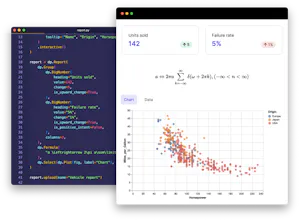
Datapane is an open-source framework which makes it simple to build and share data science reports from Python.
Like many others, we prefer to analyze and visualize data in Python instead of a drag and drop tool — but, we really struggled to share our results with others. You can't always send a Jupyter Notebook or Python script to the marketing team, client, or your Slack community, and you often want to present your visualizations and data as something more accessible than step-by-step notebook.
We built Datapane to be the best way to share results from Python data analyses. After importing Datapane into your existing Jupyter or Python environment, you can use plots (from libraries like Altair or Plotly), pandas DataFrames, files, and Markdown to create reports in a few lines of code, with interactive tables, grid layout, and more.
In addition to our open source framework, we host a free public platform on https://datapane.com/ which lets you publish the reports you build on the web, so you can share them with your community, friends, or embed them into platforms like Medium. We also have a paid product specifically for companies who build and share Python reports internally or with clients. This includes features such as automated report generation, Jupyter Notebook deployment, private reports, and easy ways to discover and collaborate on data science results.
Since we built Datapane, we've had a ton of community engagement, so the best way to see what you can do with the library is to see some of the things they're building!
- Check out some of our favourite reports build with Datapane in our gallery: https://datapane.com/gallery
- And the reports which are trending in the Datapane community right now on our explore tab: https://datapane.com/explore
Now that we're launching to a wider audience, we'd love to get some feedback on how we can make the product better, and learn about what features you'd love to see in your reports.
Any questions, fire away!
Leo
Report
Datapane is my favorite tool! I often use Datapane to share the results with my teammate quickly. The great thing about Datapane is that I could change the plots on the existing website after sending the link to my teammate. The plot is also interactive. I also use Datapane a lot when writing blog on Medium such as this one: https://towardsdatascience.com/i...
@khuyen_tran Thanks Khuyen! Love your use of Datapane embeds in those blogposts and we're so happy to have you as such an active user. I think your Datapane reports have a couple of 100k views by now! As always let us know if we can help with anything at all to make the product better and thanks for all your feedback :)
Datapane is the most suited tool for sharing Visualisations. Earlier, I used to drop in images of the Visualisations I created or ipynb notebooks with the Visualisations attached to my project. Datapane made it much more easier to make the Visualisations live with the Data easily visible!!!
Thanks and Kudos to the team
@dhruvsheth_ Thanks a lot Dhruv, I definitely agree that screenshotting images from notebooks doesn't work. Firstly, you obviously lose any interactive element, but it also means your report is static, so if you have some updated or refreshed results, it's difficult to automatically update your report. Appreciate the support!
Report
🏍 I used Datapane to publish multiple interactive Plotly Express visualizations for this article: https://medium.com/the-innovatio.... In fact, the article specifically is about publishing interactive plots to blogs from Python/Jupyter Notebooks. Stand-alone reports on datapane.com also look terrific and are perfect for sharing.
Datapane deserves a prominent place in the toolbox, for any data scientist/analyst publishing online. Congratulations @leoanthias .


Datapane
Datapane
Datapane
Datapane
Datapane