Launching today

Cubicle
A live office for your AI agents, read-only by design
37 followers
A live office for your AI agents, read-only by design
37 followers
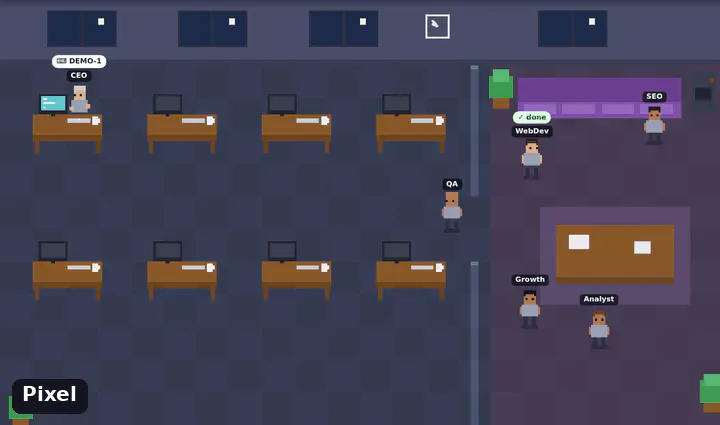
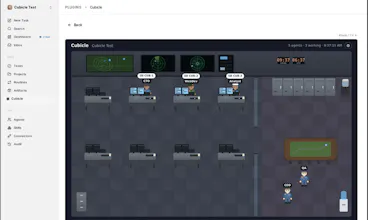
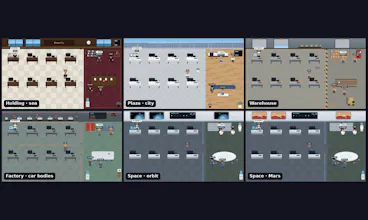
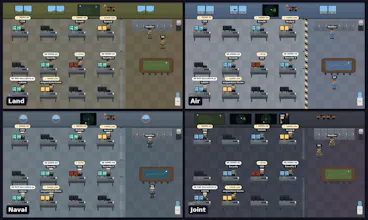
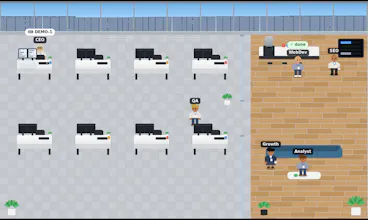
Watch Claude Code, Codex, Gemini CLI and Paperclip agents work in a live office: they sit down and type, raise a hand or line up at your desk when they need you, and go to the lounge when done. KPI board for your tasks, Telegram alerts with the agent's questions, phone view, pixel or HD themes, real faces, your logo. One command (npx), zero dependencies, MIT. Read-only by design: it only watches; the one optional write is your own Telegram reply, posted as a comment.
@caglarutkuguler Does it pick up Claude Code sessions on its own, or do I have to point it at each one? Trying to figure out if it'd work with 4-5 terminals open
@kate_ragotte19
One setup covers every terminal. npx @caglarutkuguler/cubicle install-hooks writes the hooks into ~/.claude/settings.json once (it backs that file up first). After that, each Claude Code session becomes its own character. You do not point Cubicle at each terminal.
Then run npx @caglarutkuguler/cubicle --source claude-code. Restart any session that was already open so it loads the hooks.
Four or five terminals show up as four or five people, named after their working directory, so different repos stay easy to tell apart. Subagents started with the Agent tool get their own characters too. A permission prompt raises a hand; when the turn ends, that person goes to the lounge.
Will users be able to create custom rules for what gets displayed?
@haolin
Three controls today. --redact keeps ids, tool names and statuses on screen and drops task titles, commands and error text (useful on a shared TV). The settings menu turns the animation or the cards off, and switches kiosk, theme and language. A JSON feed is yours to write, so you choose which agents and fields ever reach the office.
A rules screen (hide idle agents, show only errors, and so on) is the natural next step. If you have a rule you would actually turn on, I want to hear it.
How much control do users have over which agent questions trigger notifications?
@jackthompson68
@jackthompson68
You can control that from Telegram now.
/mute WebDev silences that agent. /unmute WebDev turns them back on. /muted lists who is muted.
/questions pings only when an agent needs you. /errors pings only on a failed run. /all is both, which is the default. A muted agent stays quiet either way.
This is in the repo as of today.
How do you decide when an agent should raise a hand instead of continuing on its own?
@albertnelson
A raised hand means the tool has already paused for you. Cubicle only draws that state.
Claude Code, Codex and Gemini raise a hand on a permission prompt or when the CLI is waiting for input. Idle reminders, auth and quota notices stay in the lounge.
On Paperclip, a hand (or a place in line at your desk) means an issue is waiting on the board, for example a pending ask-user question. A busy agent keeps typing, and the bubble shows the issue id.
You answer in the terminal, or for Paperclip on its own issue page. Cubicle does not approve, continue or stop a run.
Does the mobile experience show the same level of detail as the desktop version?
@ethanc44
The phone shows the same office data, in a layout that fits the screen. Names and bubbles shrink and step aside; people who need you, and errors, stay visible and those cards come first. Tap someone and the panel opens as a sheet: task, last steps, and on Paperclip the question plus its options.
Paperclip answers still happen on Paperclip's issue page. Claude Code, Codex and Gemini prompts are still answered in the terminal. Phone alerts are the optional Telegram bot, which can carry the question itself.
Hi Product Hunt!
I built Cubicle because I run a small company of AI agents on Paperclip and could not see who was doing what without reading logs.
So I gave them an office. Working agents sit down and type, an agent that needs you raises its hand (or lines up at your desk), finished ones go to the lounge, errors turn the screen red.
A few choices I care about:
• Read-only by design: it only reads; the one optional write is your own Telegram reply posted as a comment
• Zero dependencies: one Node file and one HTML page, npx @caglarutkuguler/cubicle
• Works with Paperclip, Claude Code, Codex, Gemini CLI or any tool that writes a small JSON file
• KPI board for the tasks you gave, Telegram alerts with the agent's questions, a phone view, HD themes
Try the live demo, no install: https://caglarutkuguler.github.io/cubicle/
I would love to hear what you would want to see in your own office.
Adorable :)